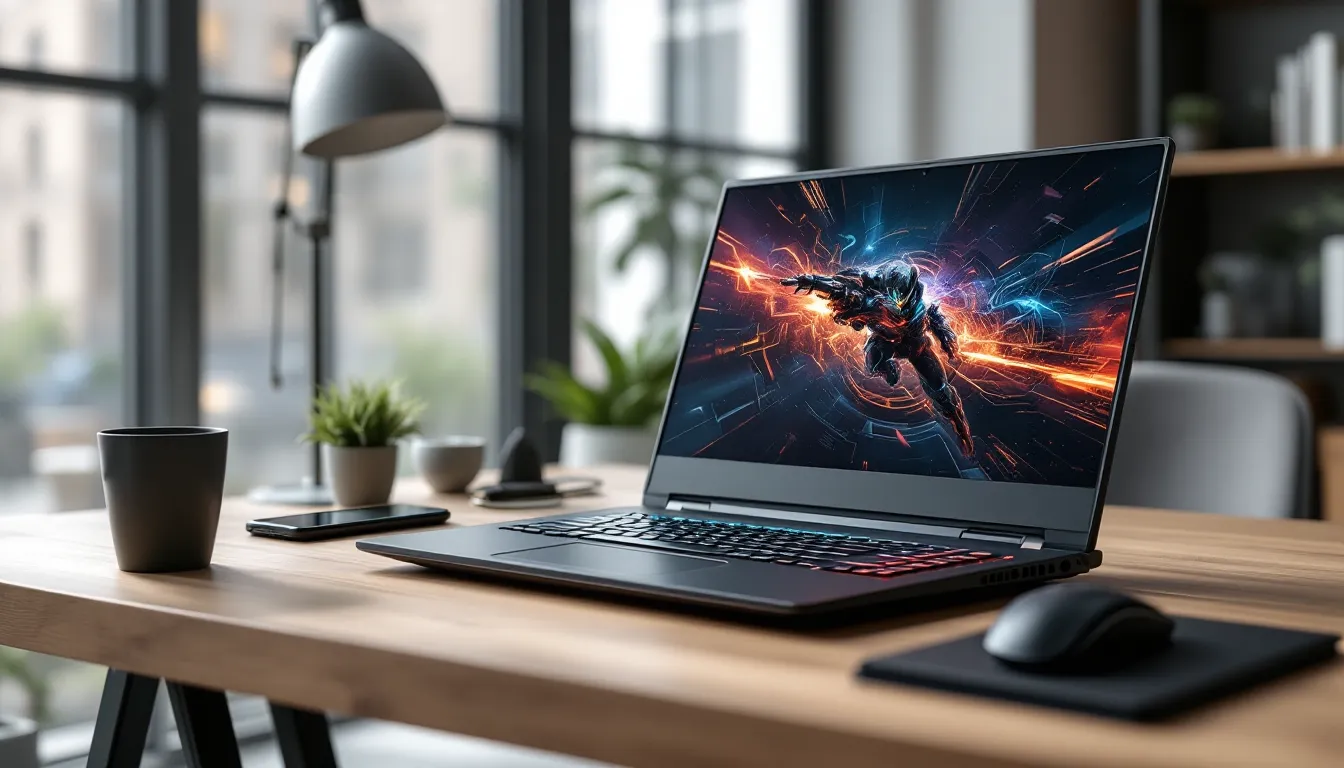

Budget gaming laptops have always walked a tightrope between performance and price, and the Lenovo IdeaPad Gaming 3 with RTX 3050 graphics has been a recurring name in that conversation. In 2026, as mid-tier gaming laptops continue to evolve with newer architectures and refreshed specs, the question remains: does this particular configuration still deliver enough punch for modern gaming, or has it aged out of relevance?
The IdeaPad Gaming 3 RTX 3050 variant sits in a crowded segment where every dollar matters. It’s aimed squarely at gamers who want to break into PC gaming without dropping flagship money, students who need a dual-purpose machine, and esports players who prioritize frame rates over ultra settings. This review digs into the specs, real-world gaming performance, thermals, and value proposition to help you decide if it’s the right fit for your setup.
Key Takeaways
- The Lenovo IdeaPad Gaming 3 RTX 3050 excels at esports gaming with 120+ FPS in Valorant and CS2, making it ideal for competitive players on a budget.
- Upgrading to dual-channel 16GB RAM provides a significant 10-20% FPS boost and is the single best investment you can make for improved gaming performance.
- The 4GB VRAM is a critical bottleneck in modern AAA titles like Cyberpunk 2077 and Resident Evil 4 Remake, causing stuttering and texture pop-in at higher settings.
- At $650-$850, the Lenovo IdeaPad Gaming 3 with RTX 3050 delivers strong value for first-time PC gamers and students needing a dual-purpose productivity and gaming machine.
- The 120Hz display option is a game-changer for fast-paced shooters, offering noticeably smoother gameplay compared to standard 60Hz budget laptops.
- Realistic gameplay expectations are essential—this laptop handles 1080p medium-to-high settings on older AAA titles but requires DLSS and lower presets on newer Unreal Engine 5 games.
What Makes the Lenovo IdeaPad Gaming 3 RTX 3050 Stand Out?
Lenovo’s approach with the IdeaPad Gaming 3 series has always been about balancing cost with capability. The RTX 3050 configuration doesn’t chase the bleeding edge, it targets the sweet spot where 1080p gaming is smooth, upgrades are accessible, and the price tag doesn’t scare off first-time buyers.
What sets this model apart from other budget entries is Lenovo’s willingness to offer configuration flexibility. Depending on the retailer and region, you’ll find variants with different CPUs (Ryzen 5000 series or Intel 11th/12th gen), RAM options starting at 8GB, and storage ranging from 256GB to 512GB NVMe SSDs. The RTX 3050 itself is the anchor, it’s NVIDIA’s entry-level Ampere GPU, bringing DLSS and ray tracing to a price bracket that previously couldn’t touch those features.
Build-wise, Lenovo keeps things practical. The chassis is plastic, but it’s sturdy enough for daily commutes. The keyboard has dedicated media controls, and the hinge feels solid after months of use. It’s not flashy, but it doesn’t try to be. The focus is on delivering playable frame rates in popular titles without requiring a second mortgage.
The RTX 3050’s 4GB VRAM is the main limiting factor, especially in 2026 as texture budgets continue to climb. But for esports titles, older AAA games, and anything optimized for lower-end hardware, this laptop still punches above its weight class.
Key Specifications and Hardware Breakdown
Processor and CPU Performance
The IdeaPad Gaming 3 RTX 3050 ships with either an AMD Ryzen 5 5600H or Intel Core i5-11300H/i5-12450H, depending on the SKU. The Ryzen variant is the more common configuration in 2026, featuring 6 cores and 12 threads with a base clock of 3.3GHz and boost up to 4.2GHz. This chip handles multitasking well, streaming, Discord, browser tabs, and a game running simultaneously won’t choke the system.
In CPU-bound titles like Total War or Civilization VI, the Ryzen 5 5600H holds its ground against newer budget chips. It’s not going to match an i7-12700H or Ryzen 7 6800H in productivity benchmarks, but for gaming, the bottleneck is almost always the GPU at this tier. Expect Cinebench R23 multi-core scores around 9,000-9,500 points, which is respectable for the price.
The Intel variants, particularly the 12th-gen i5-12450H, offer slightly better single-core performance thanks to the hybrid architecture (4 P-cores + 4 E-cores). If you’re into emulation or older games that lean on single-threaded performance, the Intel option has a slight edge.
RTX 3050 Graphics Card: What to Expect
The RTX 3050 in this laptop is the mobile variant with a TGP (Total Graphics Power) ranging from 60W to 75W, depending on Lenovo’s implementation. That power ceiling matters, a 60W RTX 3050 performs noticeably slower than a 75W version, sometimes by 10-15% in demanding titles.
With 4GB of GDDR6 VRAM, 2,048 CUDA cores, and a boost clock around 1,500MHz, the RTX 3050 is built for 1080p medium-to-high settings. It supports DLSS 2.0 and basic ray tracing, though you’ll want to leave RT off in most games unless you’re willing to drop to 30 FPS. Independent tests from sources like Tom’s Hardware have consistently shown the mobile RTX 3050 sitting between the GTX 1660 Ti and RTX 2060 in raw raster performance.
The 4GB VRAM is the Achilles’ heel. In 2026, games like Resident Evil 4 Remake, Starfield, and Cyberpunk 2077 push past that limit even at medium textures. You’ll see stuttering and texture pop-in if you’re not careful with settings.
RAM, Storage, and Upgrade Options
Most configurations ship with 8GB DDR4-3200 RAM in single-channel mode, which throttles performance in memory-intensive games. Upgrading to dual-channel 16GB (2x8GB) is the single best investment you can make, expect a 10-20% FPS bump in titles like Warzone or Fortnite. The laptop has two SO-DIMM slots, and the upgrade process is straightforward: remove the bottom panel, swap the sticks, done.
Storage starts at 256GB or 512GB NVMe SSD (usually a PCIe 3.0 drive). There’s a second M.2 slot for expansion, so you can add a 1TB drive without sacrificing the boot drive. Load times are solid, Elden Ring boots in about 18 seconds, and fast travel is nearly instant.
Gaming Performance: How Does It Handle Popular Titles?
AAA Games Performance Analysis
At 1080p, the RTX 3050 handles most AAA games at medium-to-high settings, but it’s not a future-proof powerhouse. In Red Dead Redemption 2, expect around 45-55 FPS on medium settings with some tweaks to shadows and volumetrics. Crank it to high, and you’ll hover in the mid-30s, which isn’t ideal.
Cyberpunk 2077 is playable at medium with DLSS set to Performance mode, delivering 40-50 FPS in most scenarios. Turn off ray tracing entirely unless you enjoy slideshow presentations. God of War runs beautifully, high settings will net you 55-65 FPS, and medium pushes into the 70+ range.
Recent benchmarks from Hardware Times confirm that the RTX 3050 struggles with newer Unreal Engine 5 titles. The Matrix Awakens demo and Fortnite with UE5 features enabled drop frames aggressively. You’ll need to lean on DLSS and lower presets to maintain 60 FPS.
Esports and Competitive Gaming Experience
This is where the IdeaPad Gaming 3 shines. In Valorant, CS2, League of Legends, and Rocket League, you’ll easily hit triple-digit frame rates. Valorant on low-medium settings pushes 180-220 FPS, while CS2 at medium hovers around 140-160 FPS on most maps.
Apex Legends runs at 90-110 FPS on medium, and Overwatch 2 maintains 100-120 FPS with a few tweaks. The 120Hz display (on most configurations) makes a noticeable difference in smoothness compared to 60Hz budget laptops. If you’re climbing ranked ladders, this setup won’t hold you back.
Fortnite is the sweet spot, performance mode delivers 120+ FPS consistently, and medium settings still keep you above 90 FPS. DLSS helps squeeze extra frames when build fights get chaotic.
Ray Tracing and DLSS Capabilities
Ray tracing on a 4GB RTX 3050 is more of a checkbox feature than a practical option. Control with RT reflections enabled drops to 25-35 FPS even at low settings. Minecraft RTX is playable at 40-50 FPS with DLSS, but that’s about the only RT implementation worth trying.
DLSS is the real MVP here. In supported titles like Cyberpunk 2077, Death Stranding, and Spider-Man Remastered, enabling DLSS Quality mode adds 15-25 FPS without a major visual hit. Performance mode is even more aggressive but introduces some blurriness. If a game supports DLSS, turn it on, it’s the difference between choppy and playable.
Display Quality and Visual Experience
Refresh Rate and Response Time
The display is a 15.6-inch IPS panel available in two variants: 60Hz or 120Hz, both at 1920×1080 resolution. If you’re buying new in 2026, prioritize the 120Hz model, it’s a game-changer for fast-paced shooters and esports titles. The jump from 60Hz to 120Hz is immediately noticeable in Valorant and CS2, where every millisecond counts.
Response time isn’t officially listed by Lenovo, but third-party testing suggests around 20-25ms gray-to-gray, which is average for budget gaming laptops. You won’t see the snappy 3ms response of high-end panels, but ghosting is minimal in practice. Competitive players might notice trailing in rapid flick shots, but it’s not a dealbreaker.
Color Accuracy and Brightness Levels
Color reproduction is where budget panels show their limitations. The IdeaPad Gaming 3 covers roughly 60-65% of sRGB, which translates to washed-out colors compared to premium displays. Reds look orange, and greens lean yellowish. It’s fine for gaming, but photo editing or content creation will suffer.
Brightness tops out around 250 nits, which is borderline unusable in direct sunlight. Indoors or in controlled lighting, it’s adequate. Viewing angles are decent thanks to the IPS panel, but don’t expect vibrant contrast. Analysis from PCWorld notes that budget gaming laptops in this tier rarely exceed 300 nits, so the IdeaPad Gaming 3 is par for the course.
Design, Build Quality, and Portability
The IdeaPad Gaming 3 doesn’t pretend to be a premium ultrabook. The chassis is all-plastic, weighing around 5 pounds (2.2kg) with the battery. It’s chunky compared to ultra-thin laptops, but portability is still manageable for daily commutes or LAN parties.
Build quality is solid for the price. There’s minimal flex in the keyboard deck, and the hinge holds the display firmly at any angle. The lid does show some flex under pressure, but it’s not fragile. The aesthetic is understated, Lenovo ditched the aggressive gamer styling for a cleaner look with subtle blue accents on the vents and logo.
Portability is a mixed bag. At 5 pounds, it’s not backpack-friendly for long walks, and the 170W power brick adds another pound. If you’re lugging it to class or coffee shops, expect some shoulder fatigue. On the flip side, it’s far more portable than a desktop, and it fits into most 15-inch laptop sleeves without issue.
Thermal Management and Cooling System
Lenovo’s cooling setup uses a dual-fan system with shared heat pipes for the CPU and GPU. Under sustained gaming loads, the Ryzen 5 5600H sits around 75-85°C, while the RTX 3050 hovers at 70-80°C. Those temps are well within safe operating limits, though the fans spin up aggressively to maintain them.
Fan noise is noticeable. At full tilt, the laptop hits around 45-50 decibels, which is loud enough to drown out in-game audio unless you’re using headphones. Lenovo Vantage software offers performance modes (Quiet, Balanced, Performance), but Quiet mode throttles performance noticeably. Balanced is the best compromise for most scenarios.
Thermal throttling isn’t a major issue in short gaming sessions, but extended 3+ hour marathons in demanding titles can trigger slight clock drops. Elevating the rear of the laptop with a cooling pad or stand improves airflow and keeps temps 3-5°C lower. The bottom vents pull in cool air, so avoid gaming on soft surfaces like beds or couches.
Keyboard deck temps are manageable, WASD area stays lukewarm, and the palm rests remain cool. The top-left corner above the keyboard gets warm but not uncomfortable.
Battery Life and Power Management
Battery life on a gaming laptop is always a compromise, and the IdeaPad Gaming 3 is no exception. The 52.5Wh battery delivers around 3-4 hours of light productivity (web browsing, document editing, YouTube at 50% brightness). Gaming unplugged is a non-starter, expect 60-90 minutes max before the laptop shuts down.
Lenovo’s Rapid Charge technology gets the battery to 50% in about 30 minutes, which is handy for quick top-ups between classes or meetings. Full charge takes roughly 90 minutes with the laptop off or in sleep mode.
The RTX 3050 and Ryzen 5 combo is efficient enough to avoid instant battery drain during idle tasks, but don’t expect all-day endurance. If you’re using this for school or work, keep the charger nearby. Gaming on battery also throttles performance to preserve longevity, FPS drops by 20-30% compared to plugged-in gaming.
Keyboard, Trackpad, and User Interface
The keyboard features a full-size layout with a numpad, 1.5mm key travel, and white backlighting (single-zone, no RGB). Typing feel is decent, keys are slightly mushy compared to mechanical switches, but they’re responsive enough for gaming and typing. WASD keys aren’t highlighted, which is a missed opportunity for a gaming-focused laptop.
Backlighting is dim, with only two brightness levels (off and on). It’s functional in dark rooms but barely visible under overhead lights. There’s no per-key RGB or customization, it’s basic white LEDs across the board.
The trackpad is a standard precision touchpad measuring 4.1 x 2.4 inches. It’s smooth, responsive, and supports Windows gestures without issue. For gaming, you’ll still want an external mouse, trackpads and FPS games don’t mix. The trackpad’s click mechanism is firm, with no accidental palm presses during typing.
Lenovo Vantage software handles performance profiles, battery conservation modes, and system diagnostics. It’s not bloated, and it doesn’t nag you with notifications. The interface is straightforward, making it easy to toggle between power modes or check thermals.
Connectivity and Port Selection
Port selection is generous for a budget laptop. On the left side, you’ll find 1x USB-C 3.2 Gen 1 (data only, no DisplayPort or charging), 1x USB-A 3.2 Gen 1, 1x HDMI 2.0, and the barrel-plug power connector. The right side has 2x USB-A 2.0, a 3.5mm audio jack, and an RJ45 Ethernet port.
The HDMI 2.0 port supports external displays up to 4K at 60Hz, which is perfect for dual-monitor setups or plugging into a TV. USB-C is data-only, which is disappointing, no Power Delivery or video output. If you want to connect to a USB-C monitor, you’ll need an adapter.
Wi-Fi 6 (802.11ax) is standard, delivering solid wireless performance with low latency in online games. Bluetooth 5.1 handles peripherals like wireless headsets and controllers without dropouts. The Ethernet port is a lifesaver for competitive gaming, wired connections eliminate packet loss and reduce ping by 5-10ms compared to Wi-Fi.
No SD card reader, which isn’t a huge loss for gamers but limits versatility for content creators. Overall, the port layout covers the essentials without feeling sparse.
Value for Money: Comparing Against Competitors
In 2026, the IdeaPad Gaming 3 RTX 3050 typically retails between $650-$850 depending on configuration and sales. At that price, it competes with the Acer Nitro 5 (RTX 3050), HP Pavilion Gaming 15 (GTX 1650), and ASUS TUF Gaming F15 (RTX 3050).
The Acer Nitro 5 offers similar specs but usually includes a brighter display (300 nits) and slightly better cooling. It’s priced $50-$100 higher on average, so the IdeaPad wins on pure dollars-per-frame. The HP Pavilion with GTX 1650 is cheaper by $100-$150 but sacrifices DLSS and ray tracing support, making it less future-proof.
The ASUS TUF F15 is the closest rival, it often matches or undercuts Lenovo’s pricing with similar specs. The TUF line has a reputation for better build quality and thermals, but availability fluctuates. If both are on sale at the same price, the TUF F15 edges ahead. Otherwise, the IdeaPad Gaming 3 holds its own.
For esports-focused players, the 120Hz panel and RTX 3050 combo at this price is competitive. If you’re chasing max settings in AAA games, consider waiting for sales on RTX 3060 laptops, which start around $950-$1,050.
Who Should Buy the Lenovo IdeaPad Gaming 3 RTX 3050?
This laptop is ideal for first-time PC gamers transitioning from console or older hardware. If you’re tired of 30 FPS console caps and want to experience high refresh rates in esports titles, the IdeaPad Gaming 3 delivers without very costly.
College students who need a dual-purpose machine, gaming after class, productivity during lectures, will appreciate the balance. It’s not too flashy for classrooms, and it handles everything from Valorant scrims to Zoom calls without sweating.
Budget-conscious esports players who prioritize frame rates over visuals will find the 120Hz display and RTX 3050 combo perfect for CS2, Valorant, League of Legends, and Overwatch 2. You’ll hit competitive frame rates without spending flagship money.
Avoid this laptop if you’re chasing ultra settings in the latest AAA titles, need a color-accurate display for content creation, or want all-day battery life. The 4GB VRAM and 250-nit screen are real limitations in 2026, and power users will outgrow it quickly.
Pros and Cons Summary
Pros:
- Affordable entry into RTX gaming with DLSS and ray tracing support
- 120Hz display option makes esports titles feel significantly smoother
- Easy upgradability, RAM and storage swaps take 10 minutes
- Solid 1080p performance in esports and older AAA games
- Decent port selection including Ethernet, HDMI 2.0, and multiple USB-A ports
- Thermal management keeps temps safe under sustained loads
Cons:
- 4GB VRAM is the bottleneck in modern AAA titles
- Dim 250-nit display with poor color accuracy (60-65% sRGB)
- Loud fan noise under gaming loads (45-50 decibels)
- Mediocre battery life (3-4 hours productivity, ~90 minutes gaming)
- Plastic build feels budget compared to metal-chassis competitors
- Single-zone white backlighting instead of RGB
Conclusion
The Lenovo IdeaPad Gaming 3 RTX 3050 isn’t trying to be a flagship killer. It’s a calculated budget play that delivers 1080p gaming, DLSS support, and a 120Hz display at a price that won’t require financing. In 2026, it’s showing its age in newer AAA titles where 4GB VRAM becomes a hard ceiling, but it still dominates esports and handles most games at medium-high settings.
If you’re entering PC gaming or upgrading from a GTX 1050 Ti-era laptop, this is a smart pick. Pair it with a RAM upgrade to dual-channel 16GB, keep expectations realistic on settings, and you’ll enjoy smooth gaming without the premium price tag. Just don’t expect it to max out Cyberpunk 2077 or run battery-powered marathons, that’s not what it’s built for.