
Most gamers obsess over frame rates, resolution, and response times. But there’s one element that gets overlooked until you experience it properly: audio. The difference between hearing an enemy’s footsteps through tinny laptop speakers and feeling the rumble of an explosion through dedicated gaming speakers isn’t subtle, it’s transformative.
Logitech has been refining their gaming speaker lineup for years, and their offerings in 2026 represent some of the most compelling options for gamers who want immersive audio without the isolation of headsets. Whether you’re diving into story-driven epics, grinding competitive ranked matches, or streaming to an audience, the right speaker setup changes how you experience games.
This guide breaks down everything you need to know about Logitech gaming speakers: which models deliver on their promises, what features actually matter for gaming performance, and how they stack up against both headsets and competing speaker systems.
Key Takeaways
- Logitech gaming speakers like the G560 deliver room-filling spatial audio for single-player games, eliminating headset fatigue during long gaming sessions while maintaining comfort.
- The G560’s DTS:X spatial audio excels in story-driven games but performs best when disabled in competitive FPS titles where stereo audio provides cleaner directional cues.
- Proper setup—including speaker placement at ear level, 2-3 feet apart, and subwoofer positioning away from corners—significantly improves sound clarity and immersion.
- At $149–$169, Logitech gaming speakers offer comparable pricing to mid-range gaming headsets while providing flexibility for local multiplayer, streaming, and shared gaming experiences.
- Gaming speakers require careful room treatment and noise considerations, making them ideal for solo players with flexible noise schedules but less suitable for late-night gaming or shared living spaces.
- The G560 balances immersive bass response (40Hz–18kHz), RGB customization through Logitech G HUB, and cross-platform compatibility across PC, PlayStation, and Xbox.
Why Audio Matters in Gaming Performance
Audio isn’t just atmosphere, it’s information. In competitive shooters like Valorant or CS2, identifying the direction and distance of footsteps can mean the difference between a clutch round and an early death. Games like Escape from Tarkov build entire mechanics around acoustic positioning, where vertical audio cues tell you if someone’s above or below you.
But it’s not only competitive players who benefit. Story-driven games like Cyberpunk 2077 or God of War Ragnarök use audio design to create emotional weight and environmental presence. The crack of thunder, the subtle hum of machinery, the whisper of dialogue, these elements collapse without quality playback hardware.
Headsets have dominated gaming audio for years because they deliver precise directional sound and keep noise contained. But they fatigue your ears during long sessions, create pressure points, and isolate you from your physical environment. Speakers offer a different trade: room-filling sound that feels natural, no physical discomfort, and the ability to hear someone knocking at your door. For many gaming scenarios, that trade is worth making.
Logitech’s gaming speakers target this middle ground. They promise spatial audio capable of competitive play while delivering the bass response and soundstage that make single-player experiences genuinely immersive. The question is whether they deliver.
Overview of Logitech’s Gaming Speaker Lineup
Logitech’s gaming-focused speaker lineup is more focused than their general audio catalog. While they produce dozens of speaker variants, only a handful are engineered specifically for gaming.
Logitech G560 LIGHTSYNC RGB Gaming Speakers
The Logitech G560 LIGHTSYNC PC gaming speakers remain the flagship option in 2026. Originally released in 2018, they’ve stayed relevant through firmware updates and competitive pricing that’s dropped from their original $199 MSRP to around $149-$169 depending on sales.
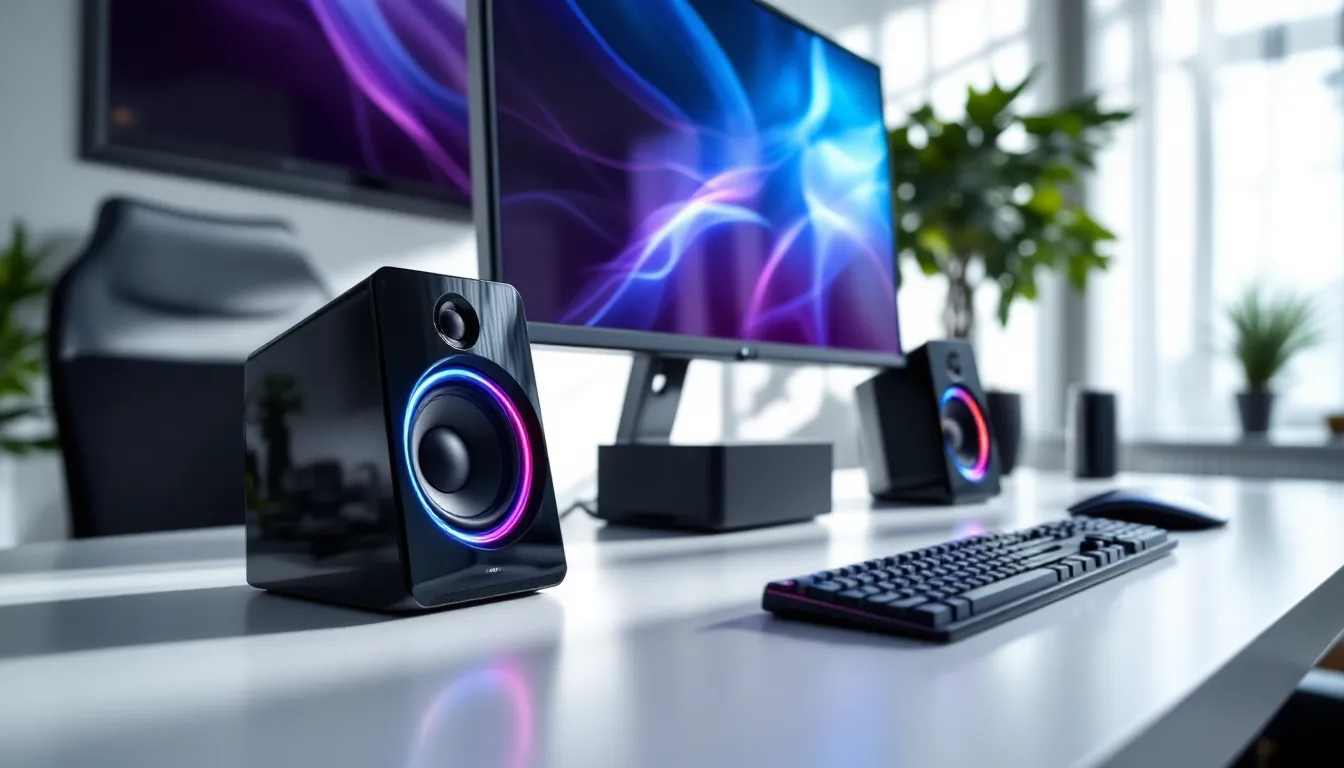
The G560 system consists of two satellite speakers and a downward-firing subwoofer. Each satellite houses a tweeter and mid-range driver, while the sub delivers 240 watts of peak power. The defining feature is LIGHTSYNC RGB lighting, four lighting zones across the two satellites that react to in-game audio and on-screen colors.
Key specs:
- Total power: 240W peak (120W RMS)
- Frequency response: 40Hz – 18kHz
- Connectivity: USB, 3.5mm, Bluetooth
- DTS:X Ultra support for spatial audio simulation
- Logitech G HUB integration for lighting and EQ customization
The G560 works across PC, PlayStation, Xbox (via 3.5mm), and Switch. USB connection is required for RGB functionality and DTS:X processing, which limits full feature access to PC and PS5.
Logitech G560 vs. Traditional Gaming Headsets
The comparison isn’t one-to-one because headsets and speakers serve different needs. Headsets like the SteelSeries Arctis Nova Pro or HyperX Cloud Alpha Wireless excel at isolating you in the soundscape, perfect for late-night gaming, shared spaces, or when mic communication is critical.
Speakers like the G560 shine when you’re gaming solo during hours when noise isn’t an issue. They eliminate ear fatigue during 6-hour weekend sessions and create a more natural soundstage. You lose some positional precision compared to good closed-back headsets, but DTS:X processing narrows that gap significantly.
The real advantage? You’re not locked into one or the other. Many gamers run speakers for single-player and streaming, then switch to a headset for competitive matches or when voice chat is essential.
Key Features to Look for in Gaming Speakers
Not all speakers marketed to gamers actually improve the gaming experience. Here’s what separates legitimate gaming speakers from standard desktop audio with RGB slapped on.
Surround Sound Technology and Spatial Audio
DTS:X Ultra and Dolby Atmos are the two major spatial audio technologies for gaming speakers. They simulate multi-channel surround sound from a stereo setup, creating the illusion of sound coming from behind, beside, or above you.
The Logitech G560 uses DTS:X Ultra, which processes audio through software (Logitech G HUB) before it reaches the speakers. The effectiveness varies by game. Titles with native DTS:X support, like Shadow of the Tomb Raider or Metro Exodus Enhanced Edition, deliver genuinely impressive positional audio. Games without native support rely on DTS’s virtualization algorithm, which produces mixed results.
For competitive gaming, many players actually disable spatial processing. In games like Valorant or Apex Legends, stereo audio with good left-right separation often provides cleaner directional cues than spatial algorithms that can blur positional information.
RGB Lighting and Customization Options
RGB on speakers is polarizing. Some gamers consider it essential for desk aesthetics: others see it as wasted cost. The G560’s LIGHTSYNC system does more than static colors, it screen-samples your display and syncs lighting to match on-screen action.
When you’re in a game like Doom Eternal, the speakers pulse red during combat and cool to blue in calmer moments. It’s gimmicky, but it adds ambient presence that extends your visual experience into your peripheral vision.
Customization happens through Logitech G HUB. You can set per-game lighting profiles, create static color schemes, or disable lighting entirely (which some users do to reduce power consumption and eliminate potential distractions).
Connectivity and Compatibility Across Platforms
Gaming speakers need flexible connectivity because gaming happens across devices. The G560 covers the bases:
- USB: Full feature access (DTS:X, RGB sync, G HUB control). PC and PS5 only.
- 3.5mm auxiliary: Works with any device. Loses DTS:X and RGB sync but maintains stereo audio.
- Bluetooth 5.1: Wireless audio from phones, tablets, or PC. Introduces ~40ms latency, fine for music, noticeable in rhythm games.
For console gaming, you’re typically running 3.5mm from the controller or console audio output. Xbox Series X/S supports USB audio with some limitations: PlayStation 5 offers fuller USB audio support.
Cross-platform compatibility matters if you game on multiple systems. The G560 handles this better than competitors that lock features behind proprietary PC software with no console workaround.
Performance Analysis: Sound Quality and Immersion
Specs tell part of the story. Real-world performance in different gaming scenarios tells the rest.
Bass Response and Frequency Range
The G560’s downward-firing subwoofer handles frequencies down to 40Hz, which covers most gaming audio. Explosions in Battlefield 2042, the rumble of engines in Forza Motorsport, and the low-end thump of EDM in Beat Saber, all have satisfying weight.
But 40Hz isn’t true sub-bass territory. If you’ve experienced a dedicated home theater system with a subwoofer that reaches into the 20-30Hz range, you’ll notice what’s missing in cinematic moments. For gaming purposes, though, the G560’s bass response is more than adequate. It never gets muddy even at high volumes, and the subwoofer’s level is adjustable via a physical dial on the right satellite.
Mid and high frequencies are clear but not exceptional. Voice lines are intelligible, and high-frequency effects like gunfire crack appropriately. Independent testing by RTINGS has shown that speaker systems in this price range typically compromise on mid-range detail to emphasize bass, and the G560 follows that pattern.
For audiophiles, the G560 won’t replace dedicated studio monitors. For gamers, it delivers the punch and clarity that make games feel impactful.
Directional Audio for Competitive Gaming
This is where gaming speakers face their biggest skepticism. Can a 2.1 system really provide the directional accuracy competitive players need?
With DTS:X enabled, the G560 creates a surprisingly convincing sense of space. In Call of Duty: Warzone, footsteps register clearly on the left or right, and the spatial processing adds a subtle front-back distinction that helps identify enemy positions.
But it’s not perfect. Vertical audio, sounds coming from above or below, is the weakest aspect. Games like Escape from Tarkov that rely heavily on vertical positioning are harder to play on speakers than with a good headset. The processing also introduces a slight delay compared to stereo mode, which some competitive players find disorienting.
For esports titles where milliseconds matter, most high-level players still prefer headsets. But for casual competitive play or games where positioning isn’t life-or-death, the G560 performs well enough that you’re not handicapping yourself.
Setting Up Your Logitech Gaming Speakers for Optimal Performance
Raw hardware is only half the equation. Proper setup determines whether you get clear positional audio or muddled noise.
Speaker Placement and Room Acoustics
Satellite positioning matters more than most gamers realize. The ideal setup:
- Distance: Satellites should be 2-3 feet apart, forming an equilateral triangle with your head as the third point.
- Height: Tweeters should be at ear level when you’re seated. Most desks require small risers or speaker stands.
- Angle: Tilt satellites inward slightly, aiming the tweeters at your listening position.
- Subwoofer placement: Corner placement amplifies bass through wall reflections, but can create boomy, undefined low-end. Placing the sub under your desk 1-2 feet from a wall offers better balance.
Room acoustics affect sound quality more than the speakers themselves. Hard surfaces (glass, bare walls, desktops) reflect sound and create echo. Soft materials (curtains, rugs, acoustic panels) absorb reflections and clarify audio.
You don’t need a treated studio, but small changes help. A rug under your desk, a tapestry or poster on the wall behind your monitor, and keeping speakers away from corners (except the subwoofer) all reduce unwanted reflections.
Software Configuration with Logitech G HUB
Logitech G HUB is mandatory for accessing the G560’s full feature set. The software handles:
- DTS:X Ultra configuration: Enable spatial audio, adjust intensity, and toggle per-game profiles.
- Equalizer settings: Five-band EQ lets you boost mids for voice clarity or pump bass for action games.
- RGB customization: Screen sampling, audio visualization, or static colors.
- Volume normalization: Prevents sudden volume spikes from explosions or jump scares.
The software is heavier than it needs to be, it takes 200MB+ of RAM and occasionally bugs out on Windows 11 systems. But the control it offers is worth the overhead.
Recommended settings for competitive FPS games:
- DTS:X: Off (stereo provides cleaner directional cues)
- EQ: Slight boost at 2-4kHz for footstep clarity
- Bass: Reduced by 10-15% to prevent low-end from masking important audio
For single-player story games:
- DTS:X: On, intensity set to 60-70%
- EQ: Flat or slight V-curve (bass and treble boost, mids neutral)
- Bass: Full level for cinematic impact
Logitech Gaming Speakers vs. Competitors
The gaming speaker market is smaller than headsets or general desktop audio, but a few competitors offer alternatives worth considering.
Razer Nommo vs. Logitech G560
Razer’s Nommo Chroma ($149) and Nommo Pro ($499) target similar gamers but with different philosophies.
The Nommo Chroma is a 2.0 system, no subwoofer. It’s cheaper, smaller, and features Razer’s signature RGB. But without a sub, it lacks the low-end presence that makes explosions and bass-heavy soundtracks satisfying. It’s better for competitive gaming where bass can be a distraction, worse for immersive single-player experiences.
The Nommo Pro adds a massive external subwoofer and THX Spatial Audio. It’s the more premium option with better frequency response (35Hz – 20kHz) and louder maximum volume. But at $499, it’s triple the G560’s price. Hardware reviewers at Tom’s Hardware have noted that while the Nommo Pro offers superior sound quality, the price-to-performance ratio favors the G560 for most gamers.
Verdict: The G560 offers better value. The Nommo Chroma is fine for budget-conscious competitive players who don’t need bass. The Nommo Pro is for those with more to spend who want the best.
Creative Sound BlasterX vs. Logitech Options
Creative’s Sound BlasterX Katana V2 ($329) is a soundbar designed for gaming. It sits under your monitor, features 24-bit/96kHz audio processing, and includes Creative’s spatial audio technology.
The Katana V2 saves desk space and delivers excellent clarity. But soundbars struggle with stereo separation, sounds feel more “in front of you” than “around you.” The G560’s separated satellites create a wider soundstage that’s more immersive for gaming.
Creative also offers the Pebble V3 ($24.99), an ultra-budget 2.0 desktop speaker. It’s shockingly decent for the price, but it’s not a gaming speaker, no spatial audio, no customization, and bass response that bottoms out around 90Hz. Fine for background music while gaming, but not a primary audio solution.
The G560 sits in the sweet spot: more immersive than soundbars, more affordable than premium systems, and more full-featured than budget desktop speakers.
Best Use Cases for Logitech Gaming Speakers
Different gaming scenarios have different audio needs. Here’s where the G560 excels and where you might want alternatives.
Single-Player Story-Driven Games
This is the G560’s strongest use case. Games like The Witcher 3, Elden Ring, Horizon Forbidden West, and Alan Wake 2 are built around atmosphere. The weight of footsteps on stone, the rustle of wind through trees, the orchestral swell during boss fights, speakers deliver these elements with room-filling presence that headsets can’t match.
The G560’s bass makes combat feel impactful. When you execute a riposte in Elden Ring or trigger an explosion in Just Cause 4, you feel the concussion. The RGB lighting syncs to on-screen action, adding ambient visual feedback that extends immersion.
For long single-player sessions, 4-8 hour weekend marathons, speakers eliminate the ear fatigue that makes headsets uncomfortable. You can lean back, adjust your posture, and move around without audio quality dropping.
Multiplayer and Competitive Esports Titles
Here the G560 becomes situational. For competitive FPS games like Valorant, CS2, or Rainbow Six Siege, many players prefer headsets for maximum positional precision. The closed acoustic environment of headsets provides clearer directional cues than even good spatial audio processing.
But for multiplayer games where positioning isn’t critical, League of Legends, Overwatch 2, Rocket League, speakers work great. You hear ability cues, voice lines, and environmental audio clearly without needing pinpoint directionality.
One major advantage: if you’re playing with friends in the same room, speakers let everyone hear the game. This makes local co-op or party games like Smash Bros., Mario Kart 8 Deluxe, or It Takes Two more social.
Streaming and Content Creation
Streamers face a specific audio challenge: they need to hear game audio, but their audience hears it through stream capture, not through the speakers. The G560 works well here because:
- No mic bleed: Quality boom arms and dynamic mics (Shure SM7B, Electro-Voice RE20) pick up minimal speaker sound when properly positioned.
- Natural monitoring: You hear the game naturally without the isolation of headsets, which helps you stay aware of your physical environment.
- Aesthetic value: RGB lighting adds visual interest to your stream background.
For content creators recording voiceovers or commentary, speakers let you monitor game audio while recording with a separate mic. The alternative, monitoring through headphones while recording, creates a disconnected workflow that many find awkward.
Professional analysis from TechRadar notes that streaming setups benefit from speakers during non-competitive gameplay, but most streamers switch to headsets for ranked or competitive content where audio precision matters.
Pros and Cons of Choosing Speakers Over Headsets
The speaker-vs.-headset debate doesn’t have a universal answer. It depends on your gaming habits, environment, and priorities.
Advantages of gaming speakers:
- Comfort during long sessions: No ear pressure, heat buildup, or headband fatigue.
- Natural soundstage: Room-filling audio feels more like real-world sound than headset isolation.
- Environmental awareness: You hear doorbells, phone calls, and people entering your space.
- Shared experiences: Everyone in the room hears the game, better for local multiplayer or gaming with spectators.
- No cable management: Wireless headsets exist, but speakers eliminate the need to charge or manage a headset entirely.
Disadvantages compared to headsets:
- Noise considerations: Speakers are loud. Roommates, family members, or neighbors may not appreciate explosions at 11 PM.
- Less positional precision: Even with spatial audio, speakers don’t match closed-back headsets for directional accuracy.
- Voice chat complexity: You’ll need a separate microphone setup. Using speakers + laptop mic creates terrible echo for teammates.
- Desk space: A 2.1 system takes up significantly more room than a headset hanging on a hook.
- Limited portability: You can’t easily move speakers between rooms or take them to LAN parties.
The ideal setup for serious gamers? Both. Speakers for solo single-player sessions and casual multiplayer, headsets for competitive play and late-night gaming. If you can only choose one, consider how often noise is a concern and whether you play competitively.
Pricing and Value Comparison
The Logitech G560 LIGHTSYNC PC gaming speakers currently retail between $149-$169 depending on sales. That positions them in the mid-range gaming audio market.
For context:
- Budget gaming headsets (HyperX Cloud Stinger, Razer Kraken X): $40-$60
- Mid-range gaming headsets (SteelSeries Arctis 7, HyperX Cloud Alpha): $120-$150
- Premium gaming headsets (SteelSeries Arctis Nova Pro, Audeze Maxwell): $250-$350
- Budget desktop speakers (Creative Pebble, Logitech Z200): $20-$40
- Mid-range gaming speakers (Logitech G560, Razer Nommo Chroma): $140-$170
- Premium gaming speakers (Razer Nommo Pro, Audioengine A2+): $300-$500
At $149-$169, the G560 costs about the same as a good mid-range gaming headset. You’re not saving money by choosing speakers, but you’re getting different benefits.
The value proposition depends on usage:
- High value: If you game 15+ hours per week, mostly single-player or casual multiplayer, in an environment where noise isn’t an issue.
- Moderate value: If you split time between competitive and casual gaming, or if you sometimes need to game quietly (making speakers redundant for part of your gaming time).
- Low value: If you primarily play competitive FPS games, live in shared spaces with noise restrictions, or frequently game late at night.
The G560 has stayed relevant since 2018 because Logitech continues firmware support and the price has dropped from $199 to ~$150. At current pricing, it’s one of the better value propositions in gaming speakers.
Competing products like the Razer Nommo Chroma offer similar features at similar pricing, but the G560’s inclusion of a subwoofer gives it an edge for immersive gaming. Premium options like the Nommo Pro offer better audio quality, but at 3x the price, they’re tough to justify unless you’re building an enthusiast setup.
Conclusion
Logitech gaming speakers, particularly the G560 LIGHTSYNC system, offer a compelling alternative to the headset-dominated gaming audio landscape. They won’t replace headsets for competitive players who need maximum positional accuracy, and they’re not viable for anyone with noise restrictions. But for gamers who prioritize comfort, immersion, and room-filling sound during long single-player sessions, they deliver genuine value.
The G560’s combination of satisfying bass response, DTS:X spatial audio, flexible connectivity, and RGB customization makes it the most well-rounded gaming speaker in its price range. Setup and configuration through Logitech G HUB unlock performance that justifies the investment, and the system’s cross-platform compatibility means it works whether you’re on PC, PlayStation, or Xbox.
If you’re tired of headset fatigue but want audio quality that does justice to modern game sound design, the G560 deserves consideration. Just make sure your gaming environment, and the people around you, can accommodate speakers before making the switch.