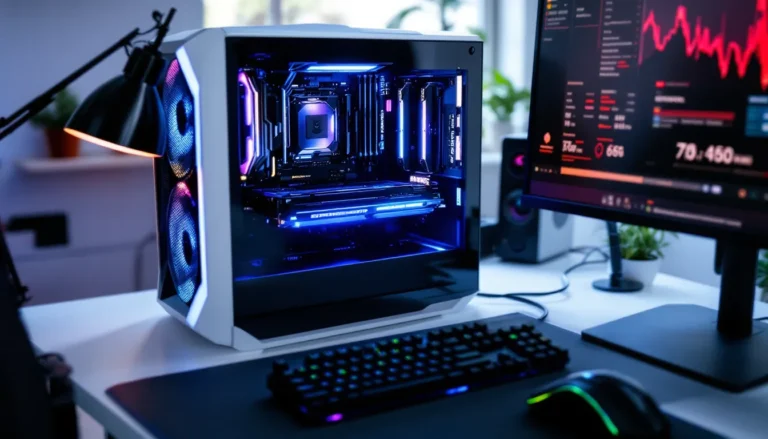
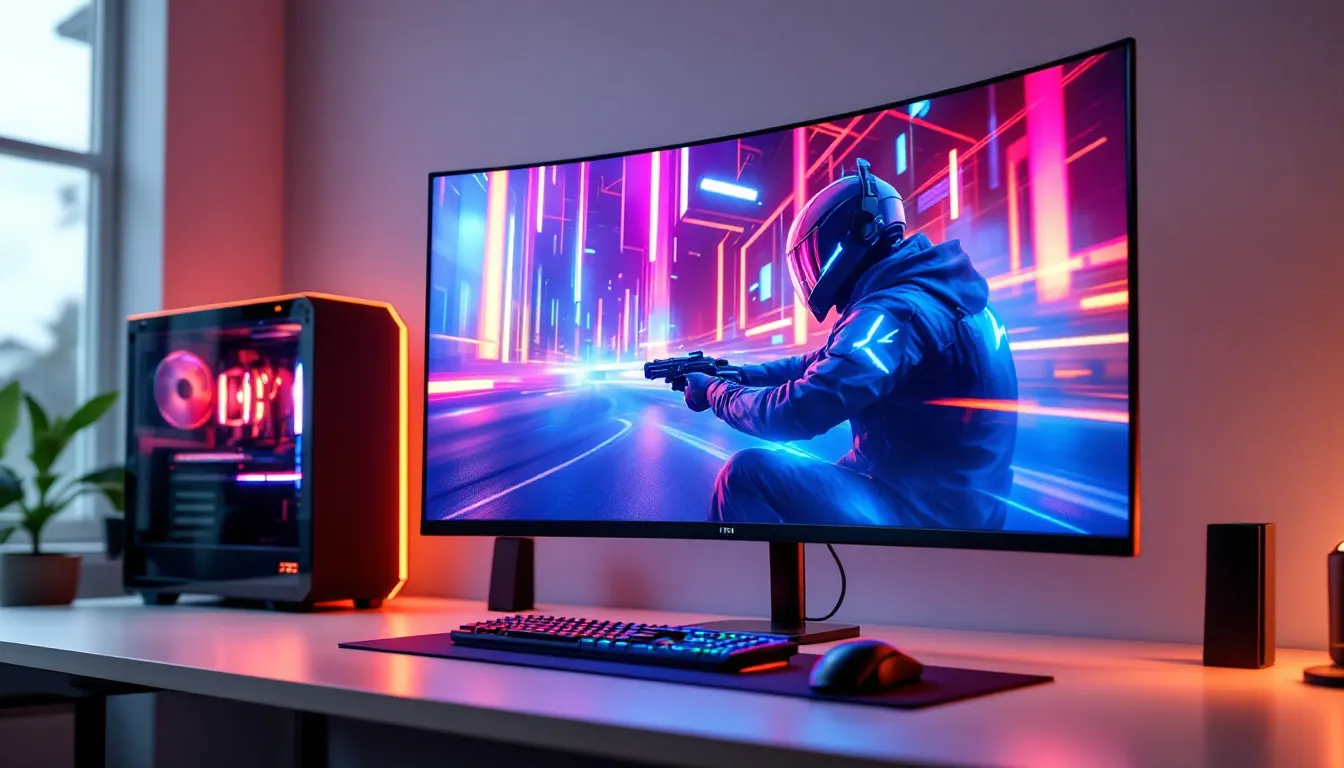

Gaming displays have come a long way from the bulky CRTs and early flat panels that defined the early 2000s. Today, the question isn’t whether you need a good display, it’s which technology gives you the edge. QLED has emerged as a dominant force in the gaming monitor and TV market, challenging OLED’s premium reputation while offering distinct advantages that matter when frames and response times count.
But what makes QLED particularly compelling for gamers in 2026? The answer lies in its unique blend of brightness, color performance, and durability, traits that align perfectly with the demands of modern gaming across PC, PS5, Xbox Series X, and beyond. Whether you’re grinding competitive matches or exploring sprawling open worlds, understanding QLED’s strengths and limitations will help you make an well-informed choice about your next display upgrade.
Key Takeaways
- QLED for gaming delivers superior brightness (1,500-2,000 nits) and HDR performance compared to OLED, making bright environments and HDR content shine without burn-in risk.
- Quantum dot technology enables QLED displays to achieve 95-100% DCI-P3 color coverage with vibrant, accurate colors that maintain saturation even at peak brightness levels.
- QLED gaming monitors and TVs typically offer 1-4ms response times and support variable refresh rate technologies (FreeSync, G-SYNC, HDMI VRR) for smooth, tear-free competitive gaming.
- For console gaming on PS5 or Xbox Series X, prioritize QLED displays with HDMI 2.1 support, 4K resolution at 120Hz minimum, and sub-10ms input lag in Game Mode.
- While QLED excels in brightness and durability, OLED maintains superior contrast ratios and off-axis viewing angles; choose QLED if you game in well-lit rooms or play for extended sessions.
- Mid-range QLED options ($600-$1,200) offer excellent value with Mini-LED backlighting, full HDR support, and performance that rivals premium models at half the cost.
What Is QLED Technology and How Does It Work?
Quantum Dots Explained
QLED stands for Quantum Dot Light Emitting Diode, though the name is a bit misleading, QLED panels don’t actually emit light on their own. Instead, they rely on a layer of quantum dots placed between the LED backlight and the LCD panel. These quantum dots are nanocrystals, typically just a few nanometers in diameter, that emit specific colors when hit by light.
When the LED backlight shines through the quantum dot layer, these nanocrystals convert that light into highly precise wavelengths of red, green, and blue. The result? Purer, more saturated colors than traditional LED-backlit displays can produce. The size of each quantum dot determines the color it emits, smaller dots produce blue light, while larger ones generate red.
This technology isn’t just theoretical. Samsung popularized QLED in consumer displays starting around 2017, and by 2026, the tech has matured significantly. Modern QLED panels can hit color volumes exceeding 90% of the DCI-P3 spectrum, which translates to vibrant, lifelike visuals in everything from HDR cinematics to stylized indie games.
QLED vs. OLED vs. LED: Understanding the Differences
The display technology landscape can be confusing, especially when acronyms start flying. Here’s the breakdown:
Traditional LED displays use an LED backlight behind an LCD panel, with no quantum dot layer. Colors are decent, but they lack the saturation and brightness range of newer technologies. These are typically the most affordable option but fall short in HDR performance.
QLED displays add that quantum dot layer between the backlight and LCD panel. They maintain the LED backlight structure but achieve significantly better color accuracy and brightness. QLED panels can easily hit 1,000-2,000 nits of peak brightness, making HDR content pop in ways standard LED can’t match.
OLED displays take a fundamentally different approach, each pixel emits its own light. No backlight needed. This gives OLED perfect blacks (since pixels can turn completely off) and infinite contrast ratios. But, OLED panels typically max out around 700-1,000 nits of brightness and carry the risk of burn-in with static elements.
For gaming, the choice often comes down to this: QLED offers brighter images and zero burn-in risk, while OLED delivers superior contrast and faster pixel response times. Neither is objectively “better”, it depends on your gaming habits, environment, and priorities.
Why QLED Displays Excel for Gaming
Superior Brightness and HDR Performance
Brightness matters more than casual gamers often realize. In HDR gaming, which has become the standard for AAA titles on PS5, Xbox Series X, and high-end PC, peak brightness directly impacts how well specular highlights, explosions, and light sources pop off the screen.
QLED displays routinely achieve 1,500 to 2,000 nits of peak brightness in 2026 models, with some premium units pushing beyond that. Compare that to OLED’s 700-1,000 nit ceiling, and the difference becomes clear in brightly lit scenes. Testing from RTINGS consistently shows QLED’s advantage in high-brightness HDR scenarios, particularly in games like Cyberpunk 2077 or Horizon Forbidden West where sunlit environments and neon-lit cityscapes benefit from that extra luminance.
This brightness advantage extends to daytime gaming in rooms with ambient light. QLED panels maintain image quality even when sunlight hits the screen, while OLED can struggle with glare and reduced perceived contrast in bright environments.
Vibrant Color Accuracy and Wide Color Gamut
Quantum dot technology delivers on its promise of color performance. Modern QLED gaming displays typically cover 95-100% of the DCI-P3 color space, which is the standard for HDR content. Some high-end models even push into Rec. 2020 territory, though content support for that wider gamut remains limited.
What does this mean in practice? More saturated, lifelike colors that don’t bleed or wash out. Character designs in Street Fighter 6, the lush environments in The Legend of Zelda: Tears of the Kingdom (if you’re gaming on a QLED TV with Switch), and the UI elements in competitive shooters all benefit from accurate color reproduction.
QLED’s color volume, the combination of color gamut and brightness, exceeds what OLED can deliver at higher luminance levels. OLED wins at low brightness due to its perfect blacks, but QLED’s quantum dots maintain color saturation even at peak brightness, which is crucial for HDR gaming.
Reduced Burn-In Risk for Extended Gaming Sessions
Burn-in is the elephant in the room when discussing display longevity. OLED’s organic compounds degrade over time, and static elements, think HUD elements, mini-maps, health bars, can permanently ghost onto the screen after thousands of hours.
QLED doesn’t have this problem. The technology uses inorganic quantum dots and traditional LCD components that don’t degrade in the same way. You can marathon competitive games with persistent UI elements, leave pause screens up, or use your display as a PC monitor without worrying about permanent image retention.
For gamers who play specific titles for thousands of hours (MOBAs, MMOs, competitive shooters), this is a genuine advantage. While OLED manufacturers have implemented pixel shifting and screen savers to mitigate burn-in, QLED simply sidesteps the issue entirely.
Key Gaming Features to Look for in QLED Displays
Refresh Rate and Response Time
Refresh rate determines how many frames per second your display can show. For competitive gaming, 144Hz is the baseline, with 165Hz and 240Hz becoming increasingly common in QLED gaming monitors. Console gamers using PS5 or Xbox Series X should look for 120Hz support at minimum, since both consoles can output 120fps in supported titles.
QLED monitors in 2026 commonly offer:
- 1080p at 240Hz-360Hz for esports-focused builds
- 1440p at 165Hz-240Hz for balanced performance and visuals
- 4K at 120Hz-144Hz for high-end PC and console gaming
Response time measures how quickly pixels change from one color to another, typically expressed in milliseconds (ms). QLED panels generally achieve 1-4ms gray-to-gray (GTG) response times, with some models using overdrive features to push sub-1ms performance. That’s fast enough for competitive gaming, though OLED’s near-instantaneous pixel response (around 0.1ms) still holds the technical edge.
For most gamers, QLED’s response times are more than adequate. Motion blur and ghosting are minimal on quality panels, and the difference between 1ms and 0.1ms is imperceptible outside of lab testing.
Variable Refresh Rate (VRR) and Adaptive Sync
VRR technology syncs your display’s refresh rate with your GPU’s output, eliminating screen tearing and reducing stuttering. This is non-negotiable for modern gaming displays.
QLED gaming monitors and TVs support:
- AMD FreeSync (most common, works with AMD GPUs and Xbox consoles)
- NVIDIA G-SYNC Compatible (certified FreeSync displays that work with NVIDIA GPUs)
- G-SYNC Ultimate (premium certification requiring hardware module, less common in QLED)
- HDMI VRR (standard on HDMI 2.1, supported by PS5 and Xbox Series X)
When shopping for a QLED display, verify VRR support for your specific platform. Cross-platform compatibility has improved significantly, but older models may have limitations.
Input Lag and Gaming Mode Optimization
Input lag is the delay between pressing a button and seeing the action on screen. Competitive gamers need this under 10ms for responsive gameplay.
Most QLED gaming displays offer a dedicated Game Mode that disables image processing to minimize input lag. Testing from Tom’s Hardware shows modern QLED monitors achieving 3-8ms input lag in Game Mode, which is excellent for competitive play.
QLED TVs generally have slightly higher input lag than monitors due to larger screen processing, but flagship models from Samsung, TCL, and Hisense regularly measure under 10ms in Game Mode at 4K/120Hz.
HDMI 2.1 and Next-Gen Console Compatibility
HDMI 2.1 is essential for next-gen console gaming and high-end PC setups. The standard supports:
- 4K at 120Hz
- 8K at 60Hz
- Variable Refresh Rate (VRR)
- Auto Low Latency Mode (ALLM)
- Enhanced Audio Return Channel (eARC)
If you’re gaming on PS5 or Xbox Series X, prioritize QLED displays with at least one HDMI 2.1 port (preferably two or more). Some budget QLED models still ship with HDMI 2.0, which caps at 4K/60Hz, a significant limitation for console gamers.
PC gamers using DisplayPort 1.4 or 2.0 connections have more flexibility, but HDMI 2.1 is increasingly important for cross-platform versatility.
QLED Gaming Performance: PC vs. Console
Optimizing QLED for PC Gaming
PC gamers have the most flexibility when pairing hardware with QLED displays. The key is matching your GPU’s capabilities with your monitor’s specs.
For competitive gaming (esports titles, shooters):
- Target 1080p or 1440p at 240Hz+
- Prioritize response time and input lag over 4K resolution
- Enable G-SYNC/FreeSync and disable V-Sync in-game
- Use DisplayPort 1.4 for maximum bandwidth
For AAA single-player games:
- 1440p at 144Hz offers the best balance of visual fidelity and performance
- 4K at 120Hz-144Hz if you’re running a high-end GPU (RTX 4080 or above, RX 7900 XTX)
- Enable HDR in Windows settings and verify in-game HDR implementation
Calibration matters on PC. Windows’ built-in HDR calibration tool (introduced in Windows 11) helps dial in peak brightness and black levels. Many QLED monitors also include multiple picture modes, Standard, FPS, RTS, Racing, that adjust color temperature and gamma curves for different game genres.
Don’t overlook desktop usage. QLED’s resistance to burn-in makes it ideal for dual-purpose gaming/productivity setups where static taskbars and browser windows could be problematic on OLED.
Console Gaming on QLED: PS5, Xbox Series X, and Beyond
PS5 and Xbox Series X both output 4K at up to 120Hz with HDR, VRR, and ALLM support. To fully leverage these capabilities, your QLED display needs:
- At least one HDMI 2.1 port
- 4K resolution at 120Hz
- VRR support (HDMI Forum VRR for Xbox, works on PS5 as well)
- HDR10 support (Dolby Vision is a bonus for Xbox, but PS5 doesn’t support it in games)
QLED TVs in the 55-65 inch range have become the sweet spot for living room console gaming. Models like Samsung’s QN90D series (2026 refresh) and TCL’s QM8 line deliver excellent gaming performance with sub-10ms input lag and robust feature sets.
For competitive console gamers, QLED gaming monitors in the 27-32 inch range offer advantages over TVs: faster response times, smaller screen sizes for better peripheral vision coverage, and desk-friendly form factors. Many now include console-specific features like 4K/120Hz support over HDMI 2.1.
Nintendo Switch benefits less from QLED’s advanced features since it maxes at 1080p/60Hz in docked mode. But, QLED’s color accuracy and brightness still make Switch games look vibrant and sharp, particularly titles with stylized art directions.
Potential Drawbacks of QLED for Gaming
Contrast Ratio Limitations Compared to OLED
QLED’s biggest compromise is contrast ratio. Because QLED uses an LED backlight behind the entire panel (or in zones with local dimming), it can’t achieve true black levels. Even with advanced Mini-LED backlighting and hundreds or thousands of dimming zones, some light bleed occurs in dark scenes.
OLED’s pixel-level control delivers infinite contrast, pixels turn completely off for perfect blacks. In dark game environments (horror titles, space games, night scenes), OLED’s presentation is noticeably superior. QLED panels show elevated black levels, typically in the 0.01-0.05 nits range, which can appear as grayish blacks in pitch-dark rooms.
Mini-LED QLED displays mitigate this significantly. Flagship models with 1,000+ dimming zones approach OLED’s contrast in practical use, though blooming around bright objects on dark backgrounds can still occur. Budget QLED displays with edge-lit backlights or fewer dimming zones show more pronounced contrast limitations.
For gaming in well-lit rooms or with colorful, bright game content, this matters less. But cinematic games with heavy use of darkness, Resident Evil Village, Alan Wake 2, Diablo IV, showcase OLED’s advantage.
Viewing Angles and Screen Uniformity
QLED panels use VA (Vertical Alignment) or IPS (In-Plane Switching) LCD technology, both of which have viewing angle limitations compared to OLED.
VA panels (most common in QLED TVs and many monitors) offer better contrast but suffer from color shift and brightness loss when viewed off-axis. Sitting more than 20-30 degrees off-center results in noticeably washed-out colors and reduced image quality.
IPS panels maintain better color accuracy at wider angles but sacrifice contrast ratio, the opposite trade-off. Some QLED monitors use IPS technology to prioritize viewing angles, accepting slightly elevated black levels in exchange.
For solo gaming directly in front of the screen, viewing angles are irrelevant. But for couch co-op, fighting games with friends, or angled desk setups, OLED’s near-perfect viewing angles at any position remain superior.
Screen uniformity can also be inconsistent on QLED panels, particularly in dark scenes. Mini-LED backlighting zones can create visible brightness variations across the screen, sometimes called “dirty screen effect” or DSE. Quality control varies by manufacturer and even between units of the same model.
How to Choose the Right QLED Gaming Display
Screen Size and Resolution Considerations
Screen size and resolution should match your viewing distance and gaming priorities.
For PC gaming monitors:
- 24-25 inches at 1080p: Budget-friendly, high refresh rates, easy to drive with mid-range GPUs
- 27 inches at 1440p: The sweet spot for most PC gamers, sharp visuals, manageable performance requirements
- 32 inches at 1440p or 4K: Immersive but requires good GPU horsepower: 1440p at 32″ shows visible pixels up close
- 32+ inches at 4K: Premium territory, best for high-end PCs and single-player gaming
For console/TV gaming:
- 43-50 inches: Smaller rooms or close viewing distances (4-6 feet)
- 55-65 inches: Standard living room setups (7-10 feet viewing distance)
- 75+ inches: Large rooms or dedicated home theater spaces
Pixel density matters. At typical desk distances (2-3 feet), 1440p at 27 inches or 4K at 32 inches delivers sharp, clear text and images. For TVs viewed from 8-10 feet, 4K becomes noticeable on screens 55 inches and larger.
Budget vs. Premium QLED Options
QLED pricing varies dramatically based on features and panel quality. Reviews from TechRadar break down options across price tiers, helping identify the best value at different budgets.
Budget QLED ($300-$600):
- 1080p or 1440p at 144Hz-165Hz
- Basic local dimming or edge-lit backlighting
- FreeSync support, limited HDMI 2.1 features
- Good for entry-level gaming or secondary displays
Mid-range QLED ($600-$1,200):
- 1440p at 165Hz-240Hz or 4K at 120Hz-144Hz
- Mini-LED backlighting with 100-500 dimming zones
- Full HDMI 2.1, VRR support, sub-5ms input lag
- The sweet spot for most gamers
Premium QLED ($1,200-$3,000+):
- 4K at 144Hz-240Hz, possible 8K options
- Advanced Mini-LED with 1,000+ zones
- G-SYNC Ultimate certification, HDR1400 or higher
- Professional color calibration, extended warranties
Diminishing returns kick in hard above $2,000. Mid-range models often deliver 80-90% of the performance at half the cost.
Monitor vs. TV: Which Is Better for Your Setup?
QLED monitors excel at:
- PC gaming with high refresh rates (240Hz+)
- Competitive gaming requiring fast response times
- Desk setups with close viewing distances
- Multi-purpose use (gaming + productivity)
QLED TVs shine for:
- Console gaming in living rooms
- Larger screen sizes (50+ inches)
- Media consumption and streaming alongside gaming
- Couch gaming and local multiplayer
Hybrid options exist, 32-48 inch QLED displays marketed as “gaming TVs” or large-format monitors. These bridge the gap with TV-sized screens but monitor-grade input lag and refresh rates. Samsung’s Odyssey Ark (2025-2026 models) exemplifies this category, though at premium prices.
Consider your primary use case. If you’re 80% PC gaming at a desk, get a monitor. If you’re primarily on console in a living room, go with a TV. Mixed use? Prioritize the scenario where you spend the most time.
Setting Up and Calibrating Your QLED for Optimal Gaming
Picture Settings and Calibration Tips
Out-of-the-box picture settings are rarely optimized for gaming. Here’s how to dial in your QLED for best performance:
Basic adjustments:
- Picture Mode: Switch to Game or Gaming mode immediately for lowest input lag
- Brightness: Set to 50-60% as a baseline, adjust based on room lighting
- Contrast: Start at 80-90%, reduce if highlights blow out
- Color/Saturation: Keep at default (50%) unless colors look oversaturated
- Sharpness: Set to 0 or minimal, over-sharpening adds artificial edges and noise
Advanced HDR calibration:
- Enable HDR in your console/PC settings first
- Use in-game HDR calibration tools when available (many games include these now)
- Adjust HDR brightness/peak luminance based on your room: 800-1,000 nits for bright rooms, 1,200-1,500+ for dimmed environments
- Set black level detail so dark areas remain visible without crushing shadows
- Disable any dynamic contrast or dynamic brightness features, these cause distracting brightness fluctuations
Color temperature:
- Warm/Warm2 settings look more natural for most content
- Cool/Neutral settings increase blue levels, popular for competitive gaming but less accurate
- Use colorimeter-based calibration for professional accuracy (overkill for most gamers)
Enabling Game Mode and Low Latency Features
Game Mode is mandatory. This preset disables image processing (motion smoothing, noise reduction, edge enhancement) that adds input lag. Most QLED displays detect game consoles automatically via HDMI and switch to Game Mode, but verify this in settings.
Auto Low Latency Mode (ALLM) automatically enables Game Mode when it detects gaming content over HDMI 2.1. Works seamlessly with PS5, Xbox Series X, and modern PCs, no manual switching needed when you fire up a game.
Black Frame Insertion (BFI) or motion blur reduction can be useful for fast-paced games. These features insert black frames between displayed images to reduce motion blur, though they typically cut brightness in half and can introduce flicker. Experiment to see if you prefer it.
VRR settings:
- Enable FreeSync, G-SYNC, or HDMI VRR in your display’s settings
- Disable V-Sync in games when using VRR to avoid conflict
- Check for firmware updates, VRR implementation improves over time
Finally, verify your HDMI port supports 4K/120Hz if you’re on console. Some QLED TVs only enable full bandwidth on specific HDMI ports (often labeled HDMI 3 or HDMI 4). Running your console on the wrong port limits you to 4K/60Hz even if the TV supports 120Hz.
Conclusion
QLED technology has carved out a distinct position in the gaming display market by balancing brightness, color performance, and durability in ways that directly benefit gamers. While OLED holds advantages in contrast and pixel response time, QLED’s immunity to burn-in and superior HDR brightness make it the practical choice for extended gaming sessions and versatile use cases.
The right QLED display depends on your platform, budget, and gaming priorities. PC gamers benefit from high-refresh monitors with rapid response times, while console players need HDMI 2.1 support and 4K/120Hz capabilities. Either way, the maturity of QLED technology in 2026 means you’re getting excellent gaming performance without the compromises that plagued earlier generations.
As game engines continue pushing visual fidelity and HDR implementations improve, QLED’s combination of peak brightness and wide color gamut will keep it competitive. Just remember to prioritize the features that match your actual gaming habits, refresh rate for competitive play, screen size for immersion, or color accuracy for cinematic experiences. QLED delivers on all fronts, but focusing on what matters to you ensures you get the most value from your investment.