
The MSI Katana 17 has been making waves in the budget gaming laptop segment, and for good reason. It’s not trying to compete with premium flagship models that cost twice as much, instead, it occupies that sweet spot where price meets performance without making you feel like you’re compromising on the essentials. For gamers who need solid frame rates, a spacious 17-inch display, and enough horsepower to handle AAA titles without very costly, the Katana 17 is a serious contender worth considering.
But does it deliver where it counts? Can it handle the latest games at respectable settings, or does it stumble when pushed? This review digs into every aspect of the MSI Katana 17, from its gaming performance and thermal management to its build quality and upgradeability, so you know exactly what you’re getting before you drop your cash on this budget-friendly machine.
Key Takeaways
- The MSI Katana 17 delivers solid 1080p gaming performance with an RTX 4060 and i7-13700H, achieving 60+ FPS on high settings in most AAA titles at a budget-friendly $1,199–$1,299 price point.
- Its 17.3-inch 144Hz FHD display provides excellent screen real estate and smooth gameplay for competitive shooters and fast-paced games, though color accuracy is limited compared to premium alternatives.
- The MSI Katana 17 offers exceptional upgradeability with dual M.2 SSD slots and DDR5 RAM expandable to 64GB, ensuring longevity and future-proofing for evolving gaming demands.
- Thermal management is acceptable but noticeable, with CPU temperatures around 85–90°C under load and audible fan noise in Extreme Performance mode, making a cooling pad a worthwhile addition.
- Battery life is a significant limitation at 3–4 hours for productivity and 60–90 minutes for gaming, positioning the MSI Katana 17 as a desk-bound gaming machine rather than a portable solution.
- This gaming laptop excels for budget-conscious gamers prioritizing performance-per-dollar value, but compromises on build materials, display color gamut, and portability compared to premium competitors.
Overview and Key Specifications
The MSI Katana 17 (2026 models) comes in several configurations, but the most popular SKU features an Intel Core i7-13700H processor paired with an NVIDIA GeForce RTX 4060 GPU. This combo positions it squarely in the mid-range gaming tier, capable of handling 1080p gaming at high settings with solid frame rates.
Here’s what you’re working with in the base-to-mid configurations:
- Processor: Intel Core i7-13700H (14 cores, 20 threads, up to 5.0 GHz boost)
- Graphics: NVIDIA GeForce RTX 4060 (8GB GDDR6)
- Display: 17.3-inch FHD (1920×1080), 144Hz refresh rate
- RAM: 16GB DDR5-4800MHz (upgradeable to 64GB)
- Storage: 512GB NVMe PCIe Gen 4 SSD (additional M.2 slot available)
- Operating System: Windows 11 Home
- Weight: Approximately 2.6 kg (5.73 lbs)
- Dimensions: 398 x 273 x 25.2 mm
Higher-tier models swap in an RTX 4070 or bump the RAM to 32GB out of the box, but the RTX 4060 variant offers the best value for most gamers. The 13th-gen Intel chip is still relevant in early 2026, though keep an eye out for refreshed models with 14th-gen CPUs if you’re shopping later in the year.
MSI positions the Katana 17 as an entry point into serious gaming without the premium price tag of their GE or GT series. You’re not getting the absolute fastest hardware, but you’re also not paying flagship prices. That trade-off is the entire point of this laptop.
Design and Build Quality
Aesthetic and Portability
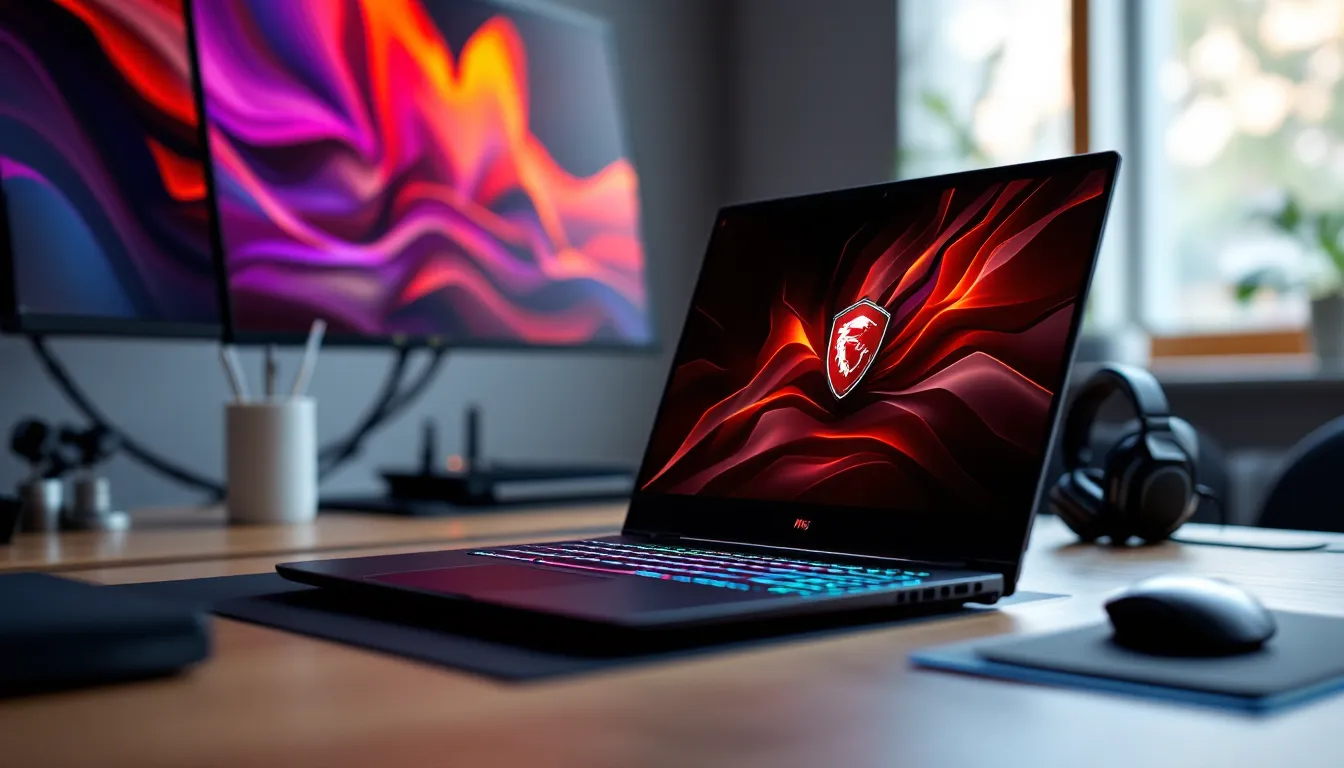
The Katana 17 doesn’t scream “gaming laptop” the way some RGB-drenched machines do. It opts for a more understated black chassis with subtle red accents around the vents and a katana-inspired logo on the lid. The plastic construction keeps the weight and cost down, though it does feel less premium than aluminum-bodied competitors.
At 2.6 kg, it’s not exactly a featherweight, but for a 17-inch gaming laptop, it’s manageable. You’re not hauling around a desktop replacement that requires a forklift, but don’t expect to casually toss this into a backpack for daily commutes. The thickness (25.2 mm) is fairly standard for this class, enough room for decent cooling without turning into a brick.
Build quality is solid enough for the price bracket. There’s minimal flex in the keyboard deck, though the lid does give slightly under pressure. It’s not going to fall apart, but it won’t survive rough handling as well as a tank-like Lenovo Legion or ASUS TUF model. Handle with reasonable care and you’ll be fine.
Keyboard and Trackpad Experience
The SteelSeries-designed keyboard is one of the Katana 17’s highlights. Key travel sits around 1.5mm, not mechanical-level tactile, but responsive enough for both gaming and typing sessions. The layout is standard with a full numpad, which is handy for productivity or MMO keybinds.
RGB backlighting is present but limited to per-key zones rather than full per-key customization. You can tweak colors and effects through MSI’s Center software, but don’t expect the granular control of higher-end models. For most gamers, the preset options are more than adequate.
The trackpad is a weak point. It’s functional for navigation and basic tasks, but the plastic surface feels cheap and tracking can be inconsistent. You’ll want to use a mouse for gaming anyway, so this isn’t a dealbreaker, just don’t expect miracles if you’re forced to use it for browsing or light work.
Display Performance
Screen Quality and Refresh Rate
The 17.3-inch FHD (1920×1080) panel with a 144Hz refresh rate is a strong selling point for a budget gaming laptop. That refresh rate is the sweet spot for competitive shooters, MOBAs, and fast-paced action games. You’ll notice the difference coming from 60Hz, especially in titles where reaction time matters.
The IPS panel delivers decent viewing angles, and the matte finish reduces glare in brightly lit rooms. Screen size is a huge advantage here, 17.3 inches gives you more real estate for spotting enemies, managing UI elements in MMOs, or just enjoying single-player campaigns with a bit more immersion.
Response time sits around 5-7ms, which is acceptable but not class-leading. Competitive esports players chasing every millisecond advantage might prefer a faster panel, but for the vast majority of gamers, it’s more than adequate.
Color Accuracy and Brightness
Color reproduction is where the Katana 17 shows its budget roots. The panel covers roughly 60-65% of the sRGB color gamut, which translates to slightly washed-out colors compared to premium displays. Games still look good, but you’re not getting the vibrant, punchy colors of a 100% sRGB or DCI-P3 panel.
Brightness peaks around 300 nits, which is serviceable indoors but struggles in direct sunlight. If you’re gaming in a well-lit room or near a window, you might need to adjust positioning or close the blinds. Contrast is average for an IPS panel, blacks are more gray than true black, but it’s not distracting during gameplay.
For content creators or anyone doing photo/video editing, this display won’t cut it. But for gaming? It does the job, especially at this price point. Many gaming laptop reviews emphasize that color accuracy becomes less critical when you’re focused on frame rates and responsiveness, and that holds true here.
Gaming Performance
GPU and CPU Capabilities
The RTX 4060 is the workhorse here, and it punches well above its weight class for 1080p gaming. With 8GB of GDDR6 VRAM and NVIDIA’s Ada Lovelace architecture, it handles modern AAA titles comfortably at high settings. The Intel Core i7-13700H provides ample CPU power for both gaming and multitasking, streaming, Discord, and browser tabs open simultaneously won’t bog this thing down.
In CPU-intensive titles like Total War: Warhammer III or Starfield, the 13700H holds its own, rarely bottlenecking the GPU. The 14 cores (6 performance, 8 efficiency) handle background tasks efficiently, so you’re not sacrificing performance when running OBS or voice chat.
The 16GB of DDR5 RAM is adequate for gaming, though 32GB would future-proof better for heavily modded games or serious multitasking. The good news? It’s upgradeable, so you can add more later if needed.
Frame Rates Across Popular Titles
Here’s how the RTX 4060 configuration performs in real-world scenarios (1080p resolution):
- Cyberpunk 2077 (High settings, no RT): 65-75 FPS
- Call of Duty: Modern Warfare III (High settings): 110-130 FPS
- Elden Ring (Max settings): 55-60 FPS (capped)
- Valorant (High settings): 200+ FPS
- Hogwarts Legacy (High settings): 70-85 FPS
- Fortnite (Epic settings, no RT): 90-110 FPS
- The Last of Us Part I (High settings): 55-65 FPS
These numbers reflect stock settings with MSI’s Extreme Performance mode enabled in MSI Center. You’ll hit the 144Hz refresh ceiling easily in competitive titles like Valorant, CS2, or Apex Legends, which is exactly what you want.
For single-player AAA games, you’re looking at a comfortable 60+ FPS on high settings in most cases. Drop to medium and you’ll push 80-100 FPS consistently. That flexibility is key, you can prioritize visual fidelity or frame rate depending on the game.
Ray Tracing and DLSS Support
The RTX 4060 supports ray tracing and DLSS 3, but let’s be realistic: ray tracing at 1080p with this GPU means significant FPS drops unless you enable DLSS. In Cyberpunk 2077 with RT Ultra enabled, expect frame rates to tank to the low 30s without DLSS. Flip on DLSS Quality mode, and you’ll climb back to 50-60 FPS with noticeably improved visuals.
DLSS 3’s frame generation is the real game-changer here. In supported titles like Microsoft Flight Simulator 2024 or Portal with RTX, frame generation can nearly double your FPS. It’s not magic, there’s slight input latency added, but for single-player games where every millisecond doesn’t matter, it’s a fantastic feature.
For competitive multiplayer, leave ray tracing and frame generation off. The FPS hit and added latency aren’t worth the visual upgrade when you need maximum responsiveness.
Thermal Management and Cooling
MSI equipped the Katana 17 with their Cooler Boost 5 cooling system, two fans and multiple heat pipes designed to keep the CPU and GPU from throttling under heavy loads. In practice, it does a decent job, though it’s not silent.
During extended gaming sessions, the CPU hovers around 85-90°C under sustained load, while the GPU stays in the 75-80°C range. These temps are within safe operating limits and don’t trigger thermal throttling, but they’re warmer than some competitors. The chassis gets noticeably warm around the keyboard area and exhaust vents, though not uncomfortably so.
Fan noise is the trade-off for keeping temps manageable. In Extreme Performance mode, the fans ramp up to a noticeable hum, think jet engine on takeoff, but not quite vacuum cleaner territory. If you’re using headphones (which you should be for gaming), it’s a non-issue. In quiet environments without audio, it’s definitely audible.
Balanced mode drops noise levels significantly and only costs you 5-10% performance in most titles. For less demanding games or productivity work, it’s the better choice. Silent mode exists but neuters performance too much for serious gaming, reserve it for browsing or media consumption.
Bottom line: thermals are acceptable but not exceptional. If you’re planning marathon gaming sessions, consider a cooling pad or elevating the rear of the laptop to improve airflow. Independent tests from technology reviews confirm that improved airflow can drop temps by 5-8°C without additional hardware modifications.
Battery Life and Portability
Let’s not sugarcoat this: battery life on gaming laptops is universally mediocre, and the Katana 17 is no exception. The 53.5Wh battery is undersized for a 17-inch chassis, likely a cost-cutting measure.
Expect around 3-4 hours of light productivity work (web browsing, document editing, YouTube) with the screen at 50% brightness and power-saving mode enabled. Gaming on battery? You’ll get maybe 60-90 minutes before needing to plug in, and performance takes a significant hit when unplugged.
The reality is this laptop is meant to stay tethered to a power outlet during gaming sessions. The 180W power brick is chunky but necessary to feed the RTX 4060 and i7-13700H. If you need a gaming laptop for portability and long battery life, you’re looking at the wrong category, consider a 14-inch ultraportable with integrated graphics instead.
For LAN parties or moving between rooms in your house, the Katana 17 is manageable. Just don’t expect to game on a cross-country flight without access to an outlet.
Connectivity and I/O Ports
MSI loaded the Katana 17 with a solid selection of ports, avoiding the “dongle life” that plagues thinner laptops. Here’s what you’ve got:
Left side:
- 1x USB-C 3.2 Gen 2 (DisplayPort support, no Thunderbolt)
- 2x USB-A 3.2 Gen 1
- 3.5mm combo audio jack
Right side:
- 1x USB-A 3.2 Gen 1
- SD card reader (UHS-I)
- Kensington lock slot
Rear:
- HDMI 2.1 (supports 4K at 120Hz)
- RJ-45 Ethernet (2.5G LAN)
- DC power input
The lack of Thunderbolt 4 is a bummer but expected at this price point. The USB-C port supports DisplayPort, so you can connect an external monitor, but you won’t get the bandwidth or versatility of Thunderbolt for high-speed storage or eGPUs.
The 2.5G Ethernet port is a nice touch, future-proofing for faster internet connections and reducing latency in competitive games. Wi-Fi 6E is included, delivering solid wireless speeds and stability, important for online gaming when running a cable isn’t practical.
Three USB-A ports give you plenty of options for peripherals (mouse, keyboard, external storage) without needing a hub. The SD card reader is a bonus for content creators or anyone transferring photos/videos, though it’s limited to UHS-I speeds rather than the faster UHS-II standard.
Overall, I/O is well-rounded and practical. You’re not left scrambling for adapters or hubs like you would be with ultra-thin gaming laptops.
Audio Quality
The dual 2W speakers on the Katana 17 are… fine. They get reasonably loud without distorting, and there’s a hint of bass thanks to the larger chassis, but you’re not getting audiophile-quality sound here.
Mids and highs come through clearly enough for dialogue in cutscenes or casual YouTube watching, but the low end is weak. Explosions and gunfire lack the punch you’d want in action games. The speakers are adequate for emergency situations when you don’t have headphones handy, but they’re not something you’ll actively choose to use.
MSI includes Nahimic 3 audio software for spatial audio enhancement and EQ tuning. The virtual surround sound works decently well with headphones, providing a bit more positional awareness in shooters or horror games. The EQ presets (Music, Movie, Gaming, Communication) are basic but functional.
Bottom line: invest in a decent gaming headset. The speakers will do in a pinch, but you’re missing out on immersion and competitive advantage without proper audio gear.
Upgradeability and Maintenance
One of the Katana 17’s strongest selling points is its upgradeability. Unlike soldered-everything ultrabooks, this laptop gives you access to key components for future upgrades.
Removing the bottom panel requires unscrewing 10 Phillips-head screws (no hidden clips or adhesive), and you’re greeted with:
- 2x DDR5 SO-DIMM slots (16GB pre-installed, upgradeable to 64GB)
- 2x M.2 NVMe SSD slots (one occupied, one empty for additional storage)
- Accessible battery, fans, and heat pipes for cleaning or replacement
Upgrading RAM is straightforward, pop out the existing sticks and slot in higher-capacity modules. MSI officially supports up to 64GB (2x32GB) DDR5-4800MHz, which is more than enough for gaming and content creation for years to come.
Adding a second SSD is equally simple. The empty M.2 slot supports PCIe Gen 4 drives, so you can add a 1TB or 2TB SSD for additional game storage without sacrificing the original drive. Given how massive modern games are (150GB+ for titles like Call of Duty), that extra storage slot is a lifesaver.
The Wi-Fi card is also replaceable, though the included Wi-Fi 6E module is solid enough that most users won’t need to swap it. Battery replacement requires more disassembly but is possible if you’re comfortable with laptop maintenance.
Cleaning the fans and heat pipes is recommended every 6-12 months, especially if you’re gaming in dusty environments. Dust buildup can choke airflow and spike temps, so periodic maintenance keeps performance optimal. Many detailed technology reviews emphasize that routine cleaning extends the lifespan of gaming laptops significantly, and the Katana 17’s accessible design makes this easier than most.
Overall, upgradeability is excellent for this price range. You’re not locked into your initial configuration, which adds longevity and value.
Price and Value Proposition
As of early 2026, the MSI Katana 17 (RTX 4060 / i7-13700H / 16GB / 512GB) typically retails around $1,199-$1,299 USD, though sales and promotions can drop it closer to $1,099. For context, competing 17-inch gaming laptops with similar specs often sit in the $1,400-$1,600 range.
That pricing positions the Katana 17 as a value leader in the mid-range segment. You’re getting:
- Solid 1080p gaming performance (60+ FPS in AAA titles on high settings)
- A spacious 144Hz display
- Upgradeable RAM and storage
- Respectable build quality and cooling
All for a price that doesn’t require a second mortgage. For gamers on a budget who want a 17-inch screen and don’t need cutting-edge specs, it’s one of the best deals available.
Where does it fall short compared to pricier options? Build materials (plastic vs. aluminum), display color accuracy, and battery life are the main compromises. If those are dealbreakers, expect to spend $400-600 more for a premium model like an ASUS ROG Strix or Lenovo Legion.
But for the target audience, gamers who prioritize performance per dollar, the Katana 17 delivers. It’s not perfect, but it doesn’t need to be. It just needs to run games well without very costly, and that’s exactly what it does.
Who Should Buy the MSI Katana 17?
The Katana 17 isn’t for everyone, but it’s perfect for specific types of gamers:
Buy it if:
- You want a 17-inch gaming laptop without spending $1,500+
- 1080p gaming at high settings with solid frame rates is your priority
- You value upgradeability and want the option to add more RAM or storage later
- You’re gaming primarily at a desk and don’t need all-day battery life
- You play a mix of AAA single-player games and competitive multiplayer titles
Skip it if:
- You need a portable laptop for classes, travel, or work-heavy use (battery life is too short)
- You’re chasing 1440p or 4K gaming (the RTX 4060 isn’t built for that)
- You require premium build materials and top-tier color accuracy (content creators, look elsewhere)
- You want the absolute quietest laptop (fan noise under load is noticeable)
- You’re a professional esports player needing the fastest response times (consider a 240Hz+ display)
Essentially, this is a desktop replacement for budget-conscious gamers. It’s meant to sit on a desk, plugged in, delivering reliable performance across a wide range of games. If that aligns with your use case, the Katana 17 is hard to beat at its price point.
Conclusion
The MSI Katana 17 doesn’t pretend to be something it’s not. It’s a straightforward, no-nonsense gaming laptop that prioritizes performance and value over premium materials and flashy features. The RTX 4060 and i7-13700H combo handles 1080p gaming with ease, the 144Hz display is smooth and spacious, and the upgradeability ensures you’re not locked into a dead-end configuration.
Yes, there are compromises, battery life is weak, the display’s color accuracy is mediocre, and the plastic chassis won’t win design awards. But these are acceptable trade-offs when you’re getting this level of gaming performance for under $1,300. For gamers who care more about frame rates than color gamut percentages, the Katana 17 delivers exactly what matters.
If you’re shopping in the budget-to-mid-range segment and want a 17-inch gaming laptop that simply works without demanding a premium price, the MSI Katana 17 is one of the best options available in 2026. It’s not perfect, but it’s damn good for what it costs.