
When Alienware launched the AW3423DW in early 2022, it marked the first consumer QD-OLED gaming monitor, a legitimate game-changer. Fast-forward to 2026, and the AW3423DWF remains a standout option in an increasingly crowded ultrawide market. This model strips out the G-Sync Ultimate module in favor of native FreeSync Premium Pro while maintaining the same stunning quantum dot OLED panel that gamers fell in love with.
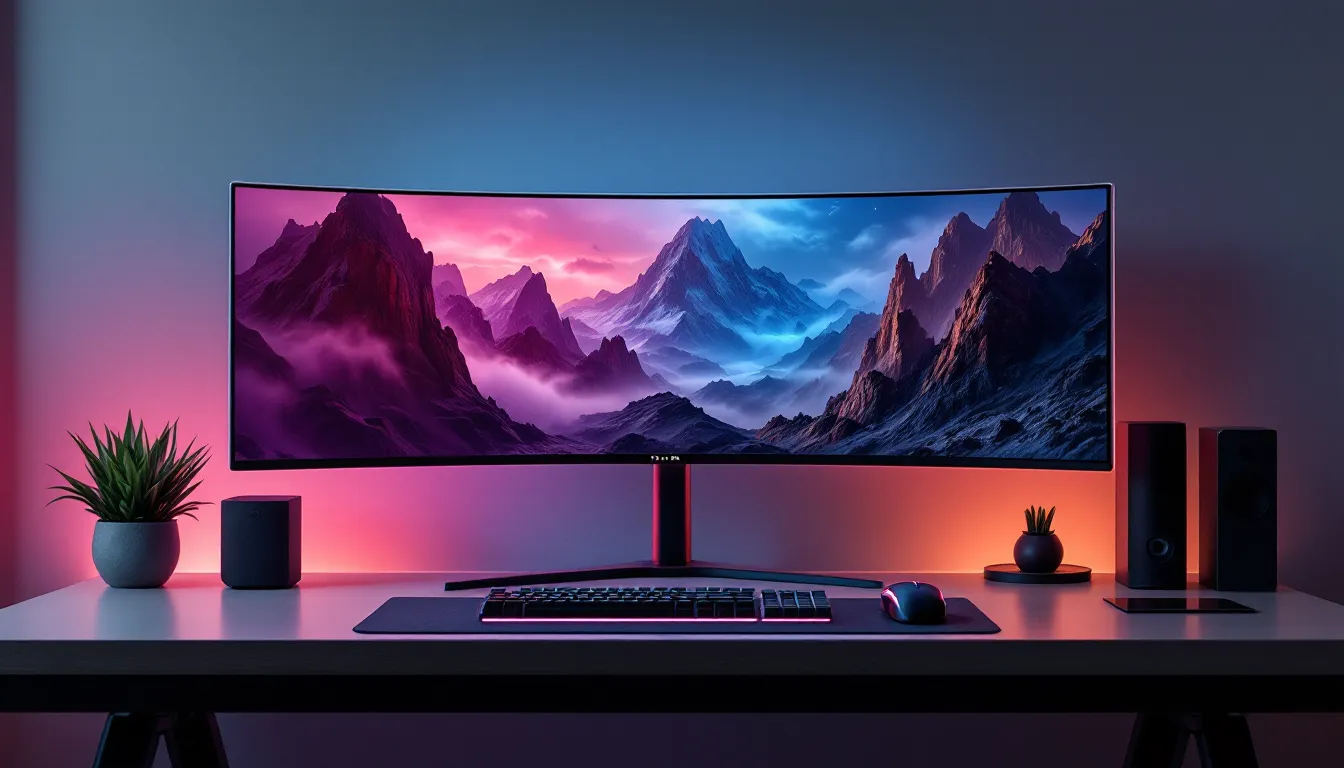
The 34-inch 1800R curved display delivers an immersive 21:9 experience with true blacks, near-infinite contrast, and colors so vibrant they make HDR content genuinely worth using. But is this monitor still competitive in 2026, especially with newer OLED panels hitting the market? This review digs into performance, gaming use cases, burn-in concerns, and whether the AW3423DWF’s price point still justifies a purchase over alternatives.
Key Takeaways
- The AW3423DWF remains a standout QD-OLED gaming monitor in 2026, delivering exceptional picture quality with true blacks and infinite contrast at $799–$899 USD, making it one of the best value ultrawide options available.
- The 34-inch 1800R curved display excels for single-player and immersive AAA games, with a 21:9 ultrawide format, 165Hz refresh rate, and 0.1ms response time that prioritizes visual experience over competitive esports performance.
- Dell’s industry-leading 3-year burn-in warranty and automatic pixel refresh protections make the AW3423DWF a secure choice for gaming, though productivity users with static content should exercise caution.
- The fanless FreeSync Premium Pro design outperforms the older AW3423DW by offering identical VRR performance at a lower price with silent operation and full compatibility with both AMD and NVIDIA GPUs.
- QD-OLED technology eliminates typical OLED brightness limitations in gaming environments, delivering vibrant HDR with near-infinite contrast that far surpasses traditional LCD panels in dark scenes and cinematic content.
Key Specifications and Technical Overview
Display Technology: QD-OLED Explained
The AW3423DWF uses Samsung Display’s first-generation QD-OLED panel, which combines quantum dots with organic LEDs to deliver exceptional color volume and contrast. Unlike traditional W-OLED panels (commonly seen in LG displays), QD-OLED skips the white subpixel and uses blue OLEDs with quantum dot filters to produce red and green.
What does that mean for gamers? More saturated colors without the typical ABL (Auto Brightness Limiting) aggressiveness of competing OLED tech, plus better near-black detail in dark scenes. The triangle RGB subpixel layout also reduces the risk of text fringing compared to RGBW layouts, though Windows ClearType tuning is still recommended for productivity use.
Resolution, Refresh Rate, and Response Time
Panel Specs:
- Resolution: 3440 x 1440 (UWQHD)
- Refresh Rate: 165Hz native
- Response Time: 0.1ms GtG (gray-to-gray)
- Curvature: 1800R
- Aspect Ratio: 21:9
The 165Hz refresh rate is a sweet spot for ultrawide gaming. It’s not the 240Hz+ you’ll find on competitive esports displays, but for most AAA titles and immersive single-player games, 165Hz paired with the instant pixel response of OLED is buttery smooth. GtG response time is effectively instantaneous, no smearing, no ghosting, even in fast motion.
Design and Build Quality
Aesthetics and Curved Screen Experience
Alienware’s industrial design leans heavily into the gamer aesthetic. The rear features the signature Legend 2.0 styling with customizable RGB lighting on the rear vent ring and Alienware logo. It’s not subtle, but it’s cleaner than the brand’s earlier efforts.
The 1800R curvature wraps the 34-inch screen around your field of view without feeling excessive. Sitting at a typical desk distance (2-3 feet), the curve enhances immersion in games like Cyberpunk 2077 and Starfield without distorting competitive shooters. The bezels are thin on three sides, though the bottom chin is slightly thicker, typical for ultrawides.
Build quality is solid. The stand is heavy, stable, and doesn’t wobble. Panel uniformity on the AW3423DWF is generally excellent, though QD-OLED’s matte coating (introduced to reduce ambient light reflections) can add a slight texture to the image compared to glossy OLEDs.
Ergonomics and Adjustability
The included stand offers:
- Height adjustment: 110mm range
- Tilt: -5° to +21°
- Swivel: ±20°
- VESA mount: 100 x 100mm
No pivot function, which is standard for ultrawides. The stand’s footprint is fairly large, so those with shallow desks may want to consider a monitor arm. Cable management channels are built into the stand, and the power brick is external (not integrated into the panel).
Picture Quality and Color Performance
HDR Performance and Peak Brightness
The AW3423DWF is DisplayHDR TrueBlack 400 certified, which measures OLED brightness differently than traditional LCD HDR standards. In practice, full-screen sustained brightness hovers around 250 nits, while smaller windows (10% and below) can hit 1000 nits peak for HDR highlights.
This is the OLED tradeoff: stunning per-pixel contrast and true blacks, but not the nuclear brightness of mini-LED monitors. In a controlled lighting environment, HDR content looks phenomenal. Games like Elden Ring and Alan Wake II showcase deep shadow detail and vivid specular highlights that LCDs can’t replicate.
Ambient light handling is decent thanks to the semi-matte coating, but direct sunlight will wash out the screen. If your setup faces a bright window, consider blackout curtains or repositioning.
Color Accuracy and Gamut Coverage
Out of the box, the AW3423DWF covers:
- 99% DCI-P3
- 149% sRGB
Factory calibration is solid, with Delta E < 2 in Creator Mode. For gaming, the default modes are vibrant and punchy without crossing into oversaturation. Testing from professional reviewers at RTINGS confirms excellent color volume and uniformity, making this panel suitable for both gaming and content creation.
The wide color gamut means HDR content looks genuinely different from SDR. Most LCDs claim HDR support but lack the color depth to make it meaningful, QD-OLED delivers.
Gaming Performance Analysis
Competitive Gaming: FPS and Esports Titles
For competitive shooters like Valorant, CS2, and Apex Legends, the AW3423DWF is a mixed bag. The instant pixel response and 0.1ms GtG eliminate motion blur entirely, which is a huge advantage. Input lag is imperceptible, measured at under 1ms.
But, 165Hz and 3440×1440 resolution won’t match the raw speed and pixel clarity of a 1080p or 1440p 240Hz+ TN or IPS panel. Ultrawide aspect ratio is also banned in most competitive games or limited to 16:9 crop modes. If you’re chasing leaderboards in tac shooters, a dedicated esports monitor is the better call.
That said, for Overwatch 2, Halo Infinite, and other casual-competitive titles, the AW3423DWF offers a perfect balance: sharp enough for flick shots, immersive enough to enjoy the game beyond just rank grinding.
AAA and Single-Player Experiences
This is where the AW3423DWF absolutely dominates. The ultrawide 21:9 format combined with OLED’s infinite contrast makes open-world games, RPGs, and cinematic action titles feel transformative.
Red Dead Redemption 2, Cyberpunk 2077, Baldur’s Gate 3, and Starfield all benefit massively from the expanded FOV and HDR pop. Dark scenes, caves, nighttime exploration, space, showcase true blacks without the haloing or blooming that plagues edge-lit and FALD LCDs.
Driving 3440×1440 at 165Hz is moderately demanding. An RTX 4070 or RX 7800 XT can handle most games at high-ultra settings with DLSS/FSR. For max settings at native res, you’ll want an RTX 4080 or better. The good news: OLED’s instant response makes lower frame rates (60-90 fps) feel smoother than on an LCD.
VRR, G-Sync, and FreeSync Compatibility
The AW3423DWF supports FreeSync Premium Pro natively and is G-Sync Compatible certified (via DisplayPort). VRR range is 1-165Hz, meaning it’ll sync smoothly across the entire refresh spectrum.
In testing, both AMD and NVIDIA GPUs deliver flawless adaptive sync performance. No tearing, no judder, even when frame rates fluctuate between 50-165 fps. The lack of a hardware G-Sync Ultimate module (present in the AW3423DW) means no fan noise and lower cost, with zero practical downside for VRR performance.
Connectivity and Features
Ports and Input Options
Rear I/O includes:
- 2x DisplayPort 1.4
- 2x HDMI 2.0
- 4x USB 3.2 Gen 1 Type-A (downstream)
- 1x USB Type-B (upstream)
- 3.5mm headphone jack
No USB-C or Thunderbolt, which is a miss for laptop users and MacBook owners. HDMI 2.0 limits consoles to 100Hz at 3440×1440, fine for PS5 and Xbox Series X, but not ideal if you want the full 165Hz experience. PC gamers should use DisplayPort.
The USB hub is functional but not blazing fast. It’s fine for peripherals (keyboard, mouse, headset dongle) but not ideal for high-speed storage.
Built-In Features and OSD Menu
The OSD (On-Screen Display) is controlled via a joystick on the bottom-right bezel. Navigation is intuitive, and the menu offers:
- Multiple preset modes (FPS, RPG, RTS, Creator, etc.)
- Custom color profiles
- Dark Stabilizer (boosts shadow visibility, useful but can crush blacks if overused)
- Response time overdrive (unnecessary on OLED: leave it off)
Alienware Command Center software allows RGB customization and firmware updates on Windows. It’s bloatware-adjacent but functional. Most users will set it once and forget it.
No built-in speakers, which is standard for gaming monitors at this tier. If you need audio, you’ll want external speakers or a headset.
OLED Burn-In: Risks, Prevention, and Warranty Coverage
Burn-in is the elephant in the room for any OLED monitor. Permanent image retention can occur if static elements (taskbars, HUDs, logos) are displayed for extended periods.
What Alienware does to mitigate burn-in:
- Pixel refresh cycles run automatically after every 4 hours of use
- Screen saver prompts after inactivity
- Logo dimming and pixel shift features
In real-world use, gamers who vary their content (different games, full-screen gameplay, hiding taskbars) report minimal issues after 1-2 years. Productivity users who leave static windows open for 8+ hours daily are at higher risk. According to extensive testing from Tom’s Hardware, first-gen QD-OLED panels show measurable wear after 6,000+ hours of worst-case static content, but typical gaming usage is far less stressful.
Warranty: Alienware includes a 3-year Advanced Exchange warranty covering burn-in, which is a significant reassurance. If image retention becomes noticeable, Dell will replace the panel. This is one of the best burn-in warranties in the industry and a major reason to buy from Alienware over gray-market OLED alternatives.
Prevention tips:
- Use auto-hide for taskbars
- Enable pixel refresh and screensavers
- Avoid max brightness for SDR content (200 nits is plenty)
- Rotate between different games and content types
AW3423DWF vs AW3423DW: What’s the Difference?
The AW3423DW and AW3423DWF share the same QD-OLED panel but differ in variable refresh rate implementation.
AW3423DW:
- Hardware G-Sync Ultimate module
- Native G-Sync support (no FreeSync)
- Includes a cooling fan (can be audible)
- Launched at $1,299 USD
AW3423DWF:
- Native FreeSync Premium Pro
- G-Sync Compatible (no module required)
- Fanless design (silent operation)
- Typically priced $100-200 lower
For NVIDIA GPU users, the DW’s G-Sync Ultimate offers no practical advantage, VRR performance is identical. AMD users are locked out of the DW entirely. The DWF is the better buy for 99% of gamers: quieter, cheaper, and fully compatible with both ecosystems.
The only edge case for the DW is extreme HDR certification pedantry (Ultimate vs Premium Pro), which doesn’t translate to noticeable visual differences on this specific panel.
Pros and Cons for Different Gaming Setups
Pros:
- Stunning picture quality with true blacks and infinite contrast
- Instant 0.1ms pixel response, zero ghosting or smearing
- Immersive 21:9 ultrawide format perfect for AAA and single-player games
- Excellent HDR performance in controlled lighting
- 3-year burn-in warranty from Dell/Alienware
- Silent operation (no fan)
- Strong color accuracy out of the box
Cons:
- 165Hz may feel slow for competitive esports players
- Limited brightness in bright rooms (OLED tradeoff)
- No USB-C or HDMI 2.1 (consoles limited to 100Hz)
- Burn-in risk for heavy productivity/static content users
- Matte coating reduces some of the OLED “pop” vs glossy panels
- Large footprint requires deep desk or monitor arm
Best for:
- Single-player and immersive gaming enthusiasts
- Sim racers and flight sim users (ultrawide + OLED = chef’s kiss)
- Content creators who game (color accuracy + HDR)
Not ideal for:
- Hardcore competitive FPS players (get a 240Hz+ 1440p instead)
- Bright-room setups with lots of natural light
- Heavy productivity users with static UIs (burn-in risk)
Price and Value Proposition in 2026
As of early 2026, the AW3423DWF typically retails between $799-$899 USD, with frequent sales dropping it to the $700 range. That’s a significant decrease from its 2022 launch price and puts it in direct competition with:
- ASUS ROG Swift OLED PG34WCDM (newer QD-OLED, 240Hz, $1,199+)
- Samsung Odyssey OLED G8 (similar panel, worse QC reputation, $999+)
- LG 34GS95QE (W-OLED, different subpixel layout, $1,099+)
The AW3423DWF remains competitive due to its warranty, proven reliability, and aggressive pricing. Newer second-gen QD-OLED panels offer higher refresh rates and slightly better coatings, but at a $300-400 premium. Reviews from PCMag and other outlets consistently rank the AW3423DWF among the best value OLED ultrawides available in 2026.
For gamers prioritizing image quality over bleeding-edge refresh rates, the AW3423DWF offers 90% of the OLED experience at 60-70% of the cost of newer models. That’s strong value, especially with the burn-in warranty.
Is it worth it in 2026? Yes, if you can find it under $850. Above $900, consider waiting for sales or looking at second-gen alternatives if 240Hz appeals to you.
Conclusion
The Alienware AW3423DWF remains one of the most compelling ultrawide gaming monitors available in 2026, even as newer OLED panels flood the market. Its combination of first-gen QD-OLED technology, immersive 1800R curve, and exceptional warranty support makes it a smart pick for gamers who prioritize picture quality and single-player experiences.
It’s not perfect, competitive players will crave higher refresh rates, and productivity users should approach with caution due to burn-in risks. But for the gamer who wants to lose themselves in The Witcher 3, dominate in Forza Motorsport, or explore every shadow in Metro Exodus, this monitor delivers an experience that traditional LCDs simply can’t match.
If you can snag it on sale for under $850 and plan to use it primarily for gaming, the AW3423DWF is an easy recommendation. Just remember to enable burn-in protections, keep static elements minimal, and enjoy what might be the best price-to-performance OLED ultrawide you can buy right now.